Every release of our MetaDefender Core product is driven by the same question: what do security, compliance, and operations teams need to do their jobs better? This update includes a wide range of improvements, and whether you are managing file policies, investigating incidents, conducting compliance audits, or evaluating detection coverage, there is something here that directly impacts how you work.
Let's walk through what's new.
Stronger Policy Enforcement at the File Level
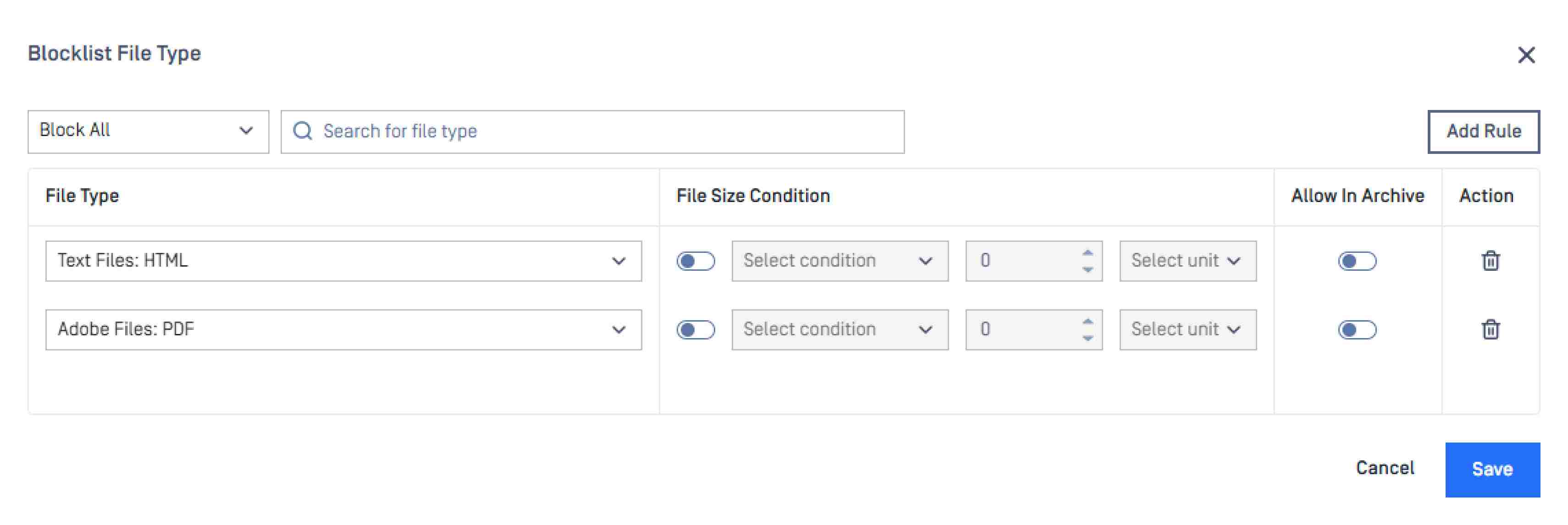
Block and Allowlist Configuration Is Now More Precise
Selecting the wrong file type during policy configuration is a common source of exposure. The updated Block and Allowlist interface makes file type selection clearer and more accurate, reducing misconfiguration risk in complex environments.

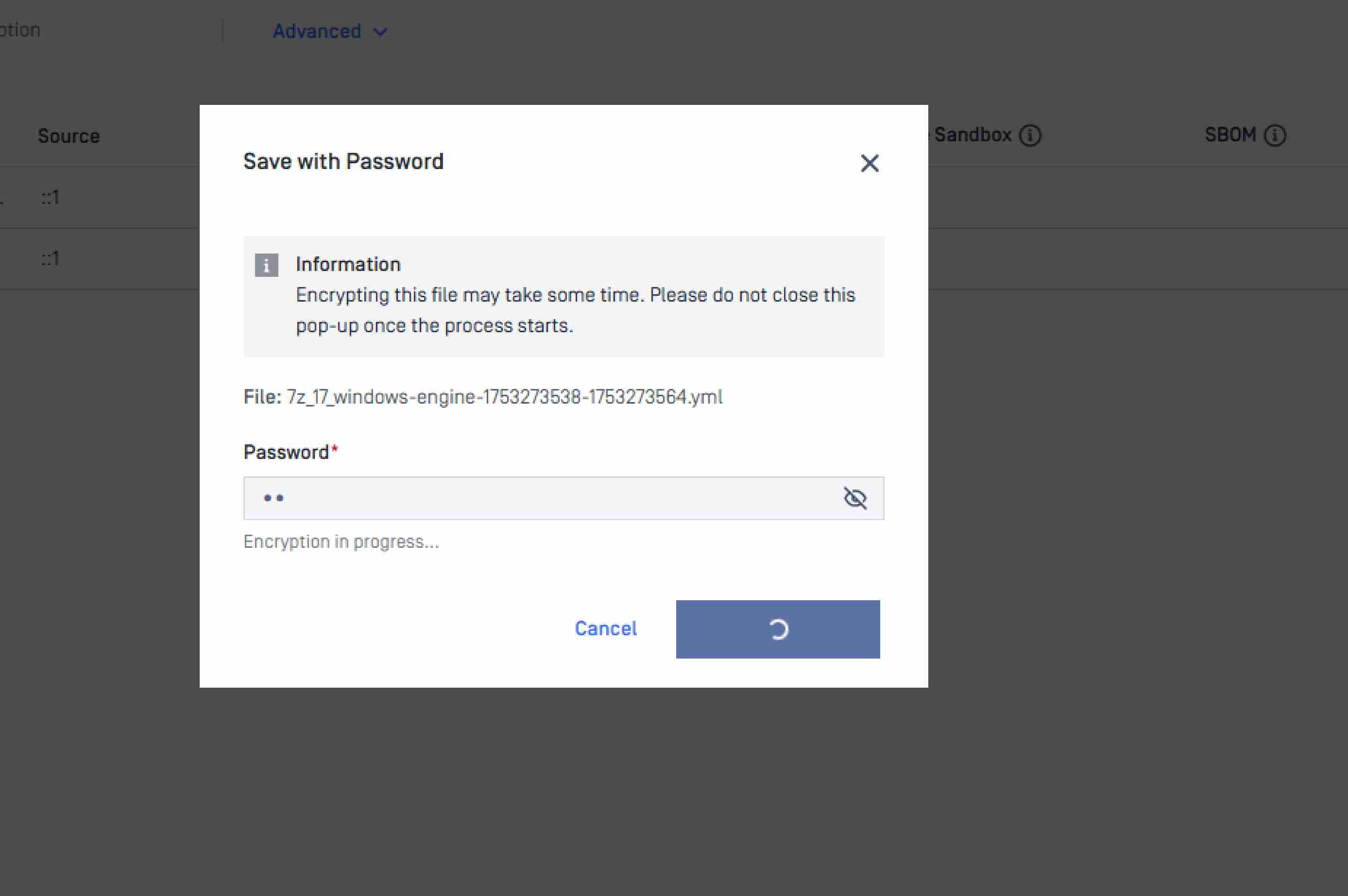
Quarantine Adds Password Protection for Saved Files
Quarantined files can now be saved with password protection, preventing auto-execution if an infected file is downloaded or transferred during investigation. For incident response and forensic workflows where files move between teams or systems, this keeps malicious content contained through the full review process.

Expanded Platform Coverage and Operational Resilience
New OS Support: Debian 12, Windows 24H2, and Windows 25H2
MetaDefender Core now supports Debian 12, Windows 24H2, and Windows 25H2, ensuring file security coverage keeps pace with OS upgrade cycles across your environment.
Better Visibility When Connectivity Is Degraded
The Inventory Module now surfaces an in-platform notification with troubleshooting guidance when low connectivity is detected whether related to proxy configuration, internal connections, OCM, or license validation. Administrators get a direct path to resolution instead of having to diagnose blind.
Know When Your Version Is Outdated
MetaDefender Core now displays an on-screen notification when the installed version is out of date, removing the need for manual version checks or external monitoring.
Workflow Visibility and Integration Performance
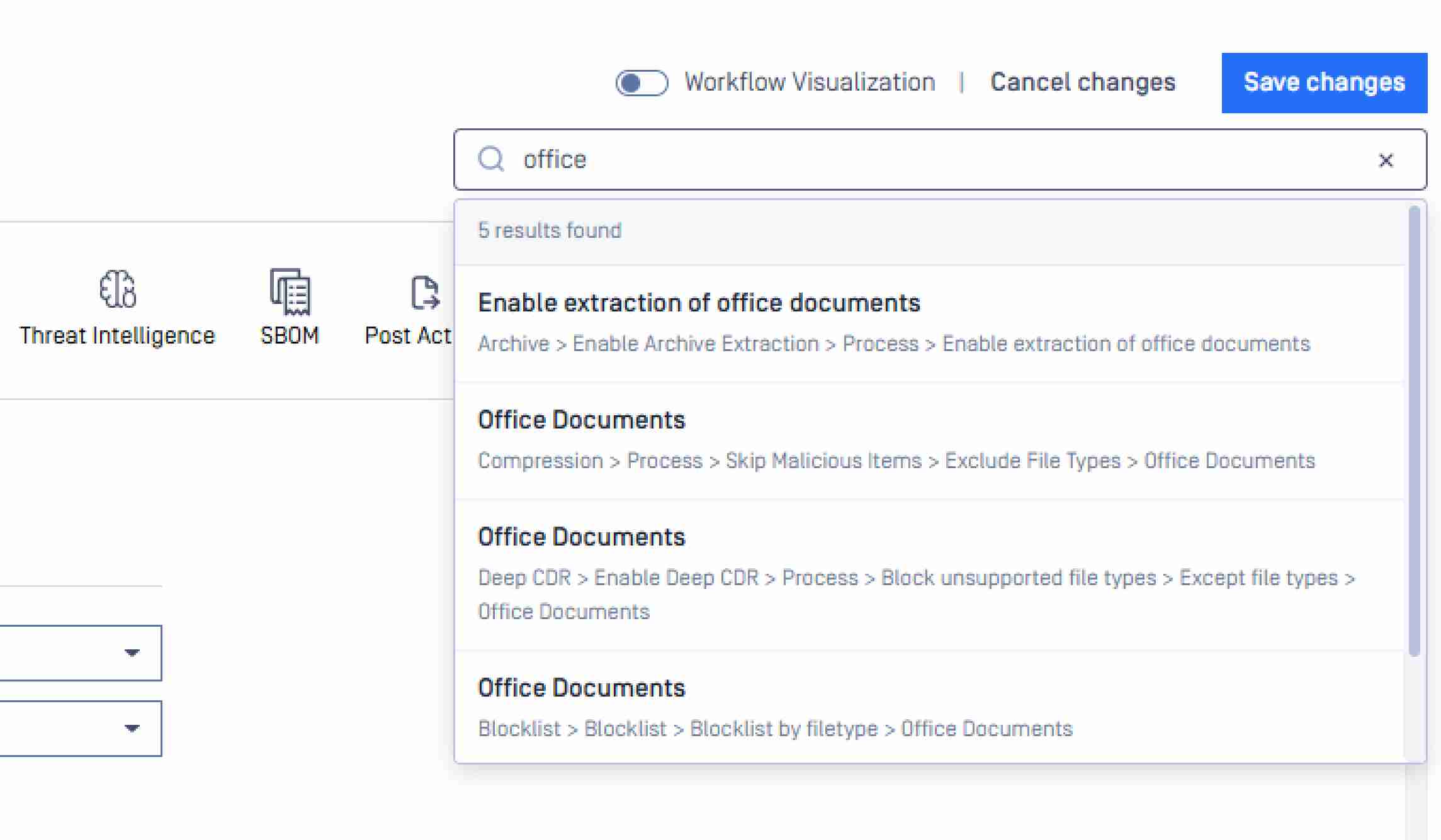
Search Is Now Available in Workflow Visualization
A search bar is now available across both global settings and the Workflow Visualization view. For teams managing large numbers of custom workflow rules, this significantly reduces the time needed to locate and manage specific configurations.

Callback URL Delivers Faster Completion Signals and Optimized Response Time
MetaDefender Core now sends a signal to notify integrated products as soon as processing is complete, and response time to those integrations has been optimized. For environments running ICAP-connected solutions, this reduces latency between scan completion and the downstream product receiving the result.
Support Package Now Includes a Lightweight Option
When troubleshooting with OPSWAT Support, a lightweight package option is now available alongside the standard diagnostic package, giving administrators more control over the size and scope of what is collected and shared.
擴充API 功能
File Scan History: Up to Two Years, No User Limits
The REST API now supports retrieval of file scan history for up to two years with no restriction on the number of users in the query. Security and compliance teams can pull complete audit records programmatically, supporting long-term investigations and regulatory requirements including GDPR, HIPAA, PCI DSS, and CMMC.
Compliance Reporting and Notification Controls
Executive Reports Can Now Be Exported as CSV
CSV export is now available for Executive Reports alongside existing formats, giving compliance officers and risk managers the flexibility to feed report data directly into SIEMs, governance platforms, or board-level reporting tools.
Processing History Export to CSV
Processing history can now be exported as a structured CSV file, giving operations and compliance teams a portable, audit-ready record of all file processing activity for investigations, regulatory submissions, or routine documentation.
Email Notification Aliases Are Now Supported
Email notifications in general settings now support an alias before the deployment ID, giving administrators control over notification sender identity and making platform alerts easier to route and recognize within enterprise email environments.
Engine Updates
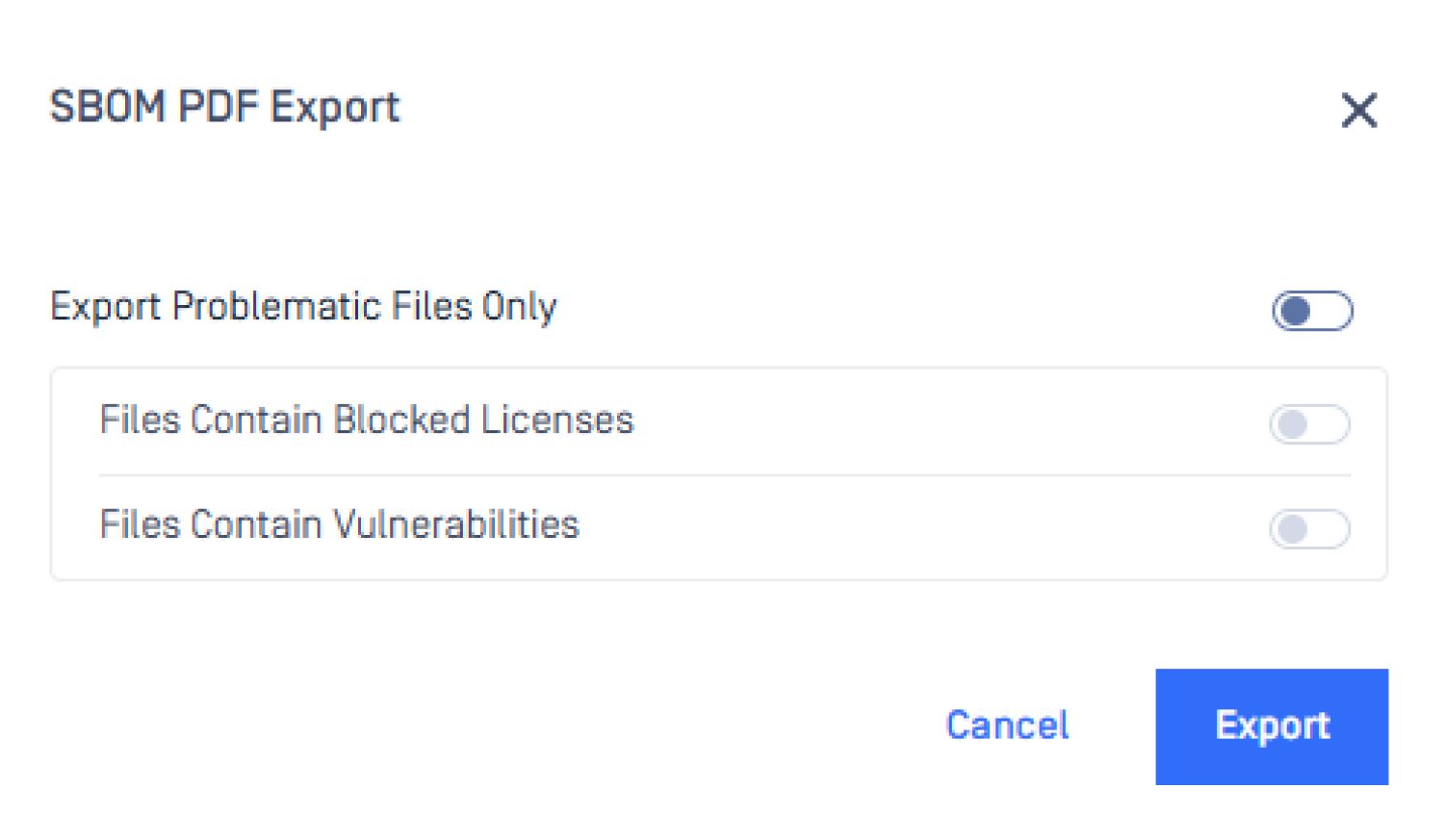
SBOM Filters Vulnerable Packages for Faster Triage
The SBOM engine now supports a filtered report download that returns only packages with identified vulnerabilities. When the goal is remediation or compliance evidence, security teams can go directly to actionable findings without working through the full component inventory.

Metascan™ Multiscanning: SentinelOne and Xcitium Join the MAX Package
Effective April 1, 2026, two new engines are being added to the Metascan™ Multiscanning MAX package.
SentinelOne joins the MAX package for both Windows and Linux, adding AI-driven behavioral analysis and machine learning detection alongside the existing signature and heuristic coverage across the 30+ engine ensemble.
Xcitium is being added to the Linux MAX package, strengthening detection coverage for Linux environments across cloud-native, OT, and regulated infrastructure.
Both additions are included within existing MAX package entitlements, with no additional integration work or licensing changes required.
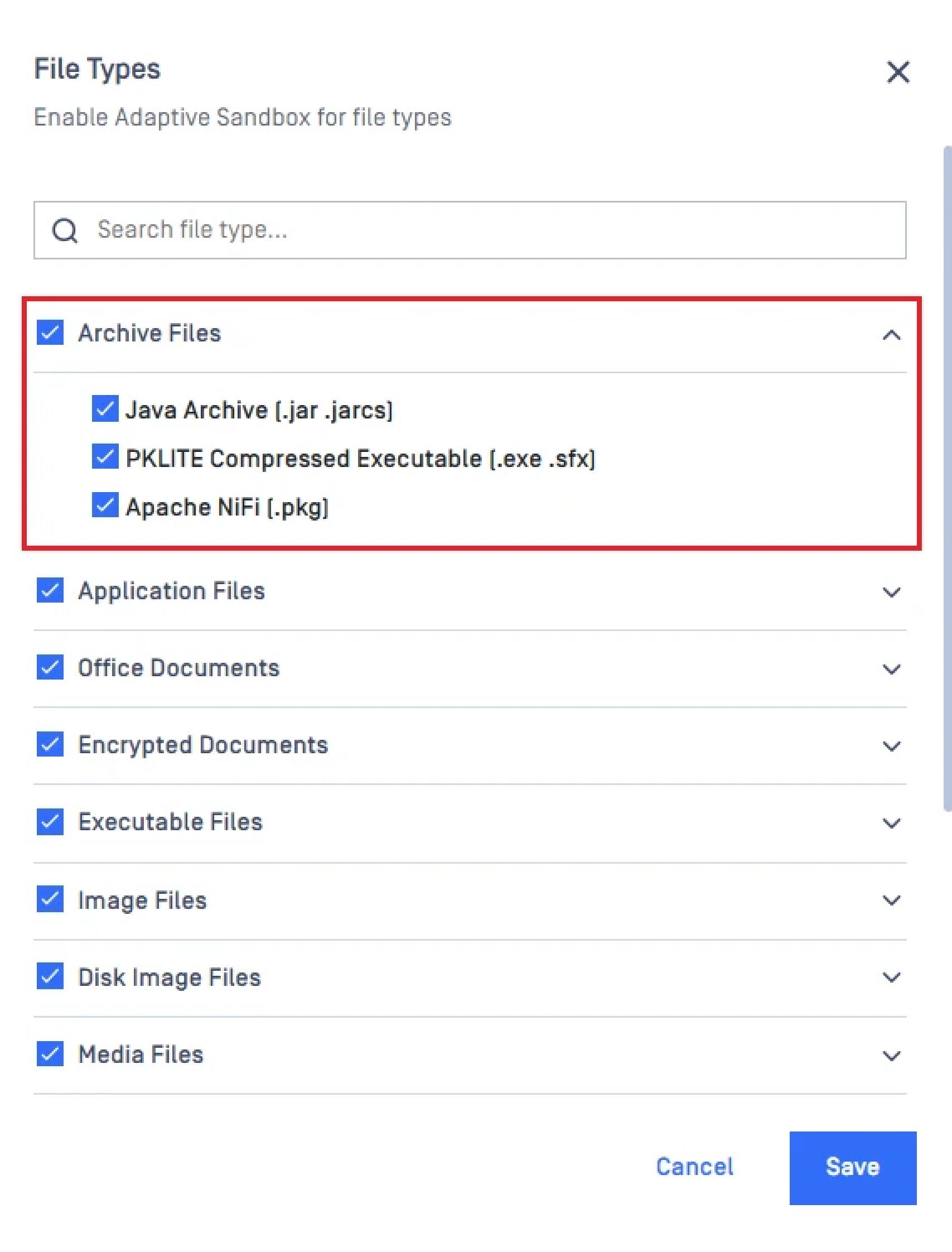
Adaptive Sandbox Enables Archive Analysis by Default
Archive file types are now included in the standard Adaptive Sandbox configuration out of the box. Previously, archive analysis required a manual policy adjustment, which left standard deployments with a potential coverage gap. Detection coverage is now consistent from deployment.

MetaDefender Cluster Updates
Directories: Simplified Role Management Across Groups
Administrators can now consolidate roles into a single unified settings configuration. When users belong to multiple groups with varying rules, permissions become unpredictable and difficult to audit. Defining roles once and applying them consistently reduces those gaps and supports cleaner access control documentation for compliance teams.
Expanded File Filter Support Across Request Types
MetaDefender Cluster now applies file filters across batch, file, object, and formdata request types. Filtering rules now cover the full range of how files enter the processing pipeline across platforms, removing blind spots that existed when only some request types were supported.
後續步驟
準備好開始使用MetaDefender Core 5.18.0 嗎?請參考以下實用資源:
- 請造訪opswat.com/products/metadefender/core
- 升級至MetaDefender Core 5.18.0
- Access the release notes
Have questions? Reach us at support@opswat.com