您絕對不能錯過的更新:Office 2016 與 Office 2019 支援終止

立即閱讀
我們利用人工智慧進行網站翻譯,雖然我們力求準確性,但它們可能並不總是 100% 精確。感謝您的理解。

MetaDefender Drive™ with Smart Touch v1.5.0 Release

Secure File Storage and Smart Touch Passcode Management
by OPSWAT 發布
分享此文章

MetaDefender Drive with Smart Touch v1.5.0 includes new improvements to secure vendors' or contractors' devices used in daily operations before they connect to critical systems. This release introduces a safe file transfer approach with clear visibility and passcode management, providing field operators with stronger safeguards at every step of the file handling process.

Secure File Storage Workflow with Clear Visibility

With this release, MetaDefender Drive with Smart Touch provides a secure file storage workflow that allows only trusted, verified files into critical systems. This feature is designed for seamless integration with MetaDefender Kiosk.

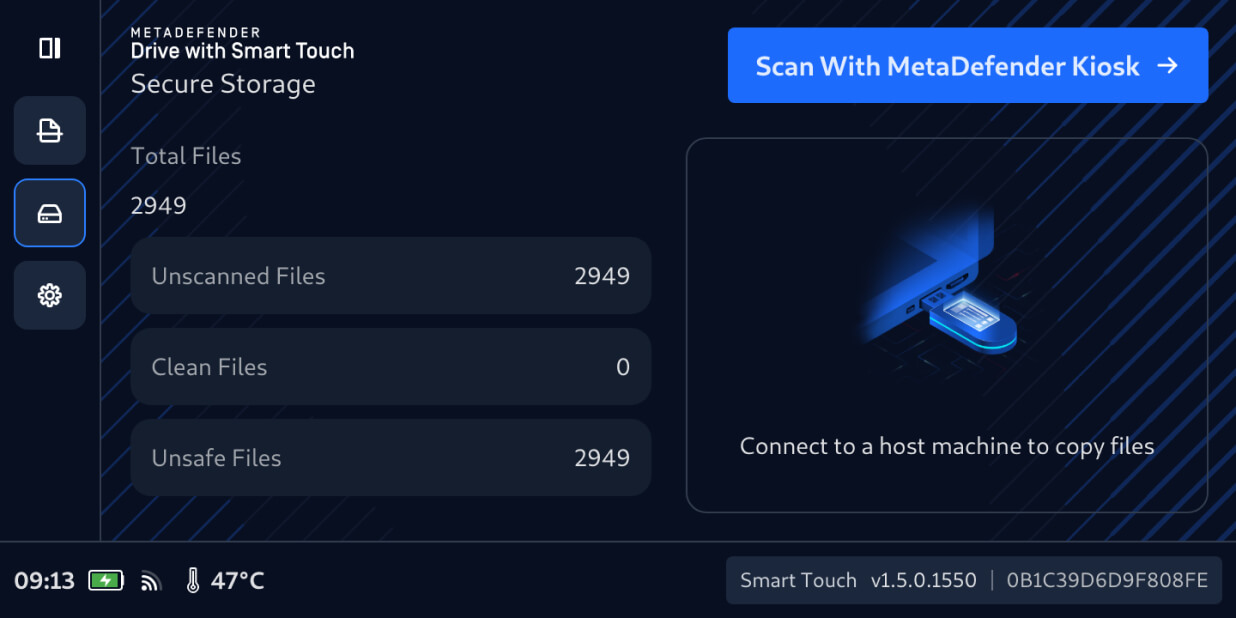
Users can now securely transfer files from transient devices to MetaDefender Drive with Smart Touch, just as with a standard USB drive. They newly transferred files remain hidden by default in the Secure Storage. They are not accessible for sharing or distribution until they are scanned and verified by a MetaDefender Kiosk.

Verify Unscanned Files with MetaDefender Kiosk

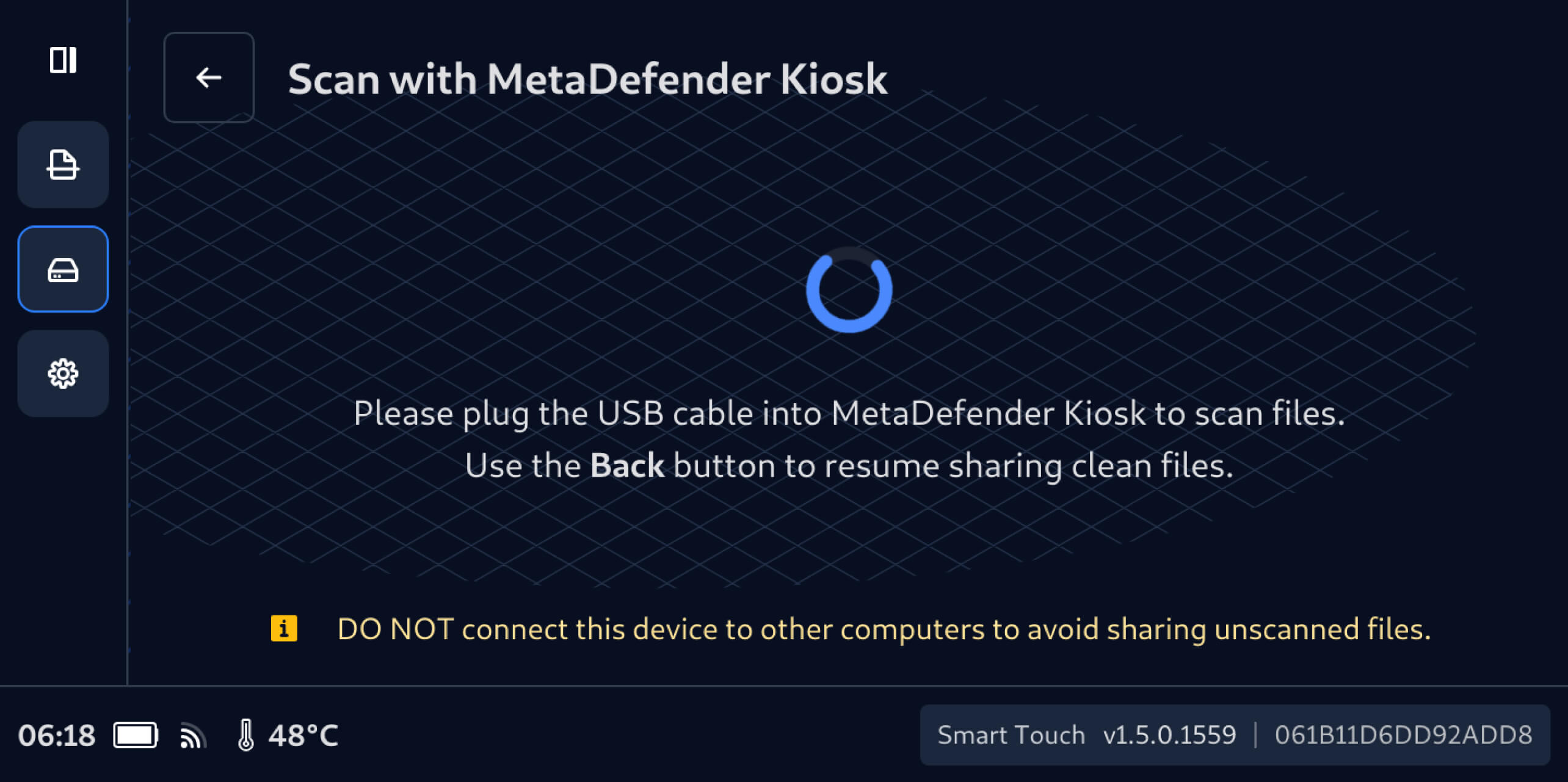
To verify that the securely stored files are safe for use, connect the MetaDefender Drive with Smart Touch containing the files to a running MetaDefender Kiosk, then:

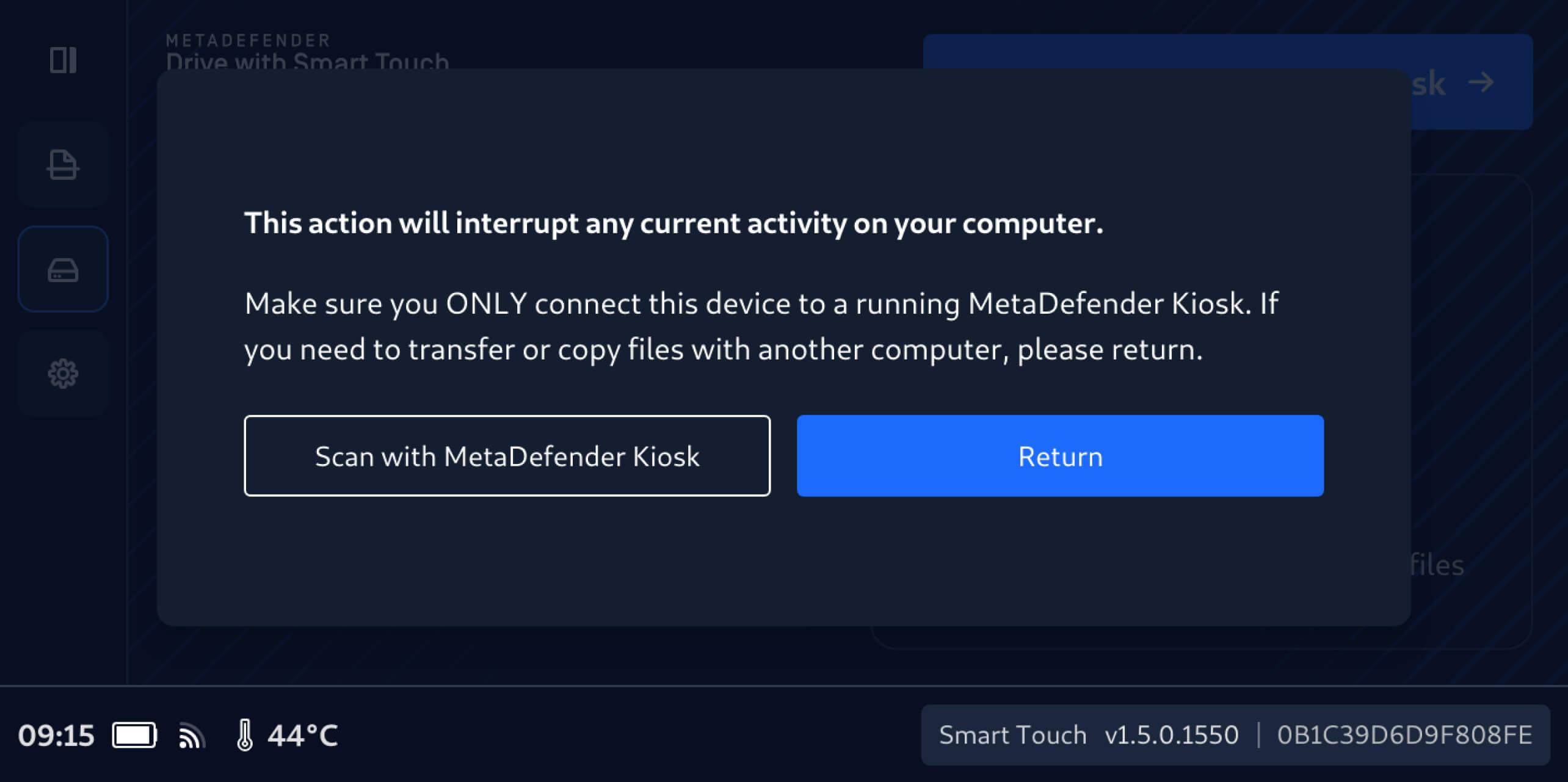
1. On the MetaDefender Drive with Smart Touch interface, tap Scan with MetaDefender Kiosk.

    2. It is important not to connect MetaDefender Drive with Smart Touch to another computer until the securely stored files are scanned and verified.

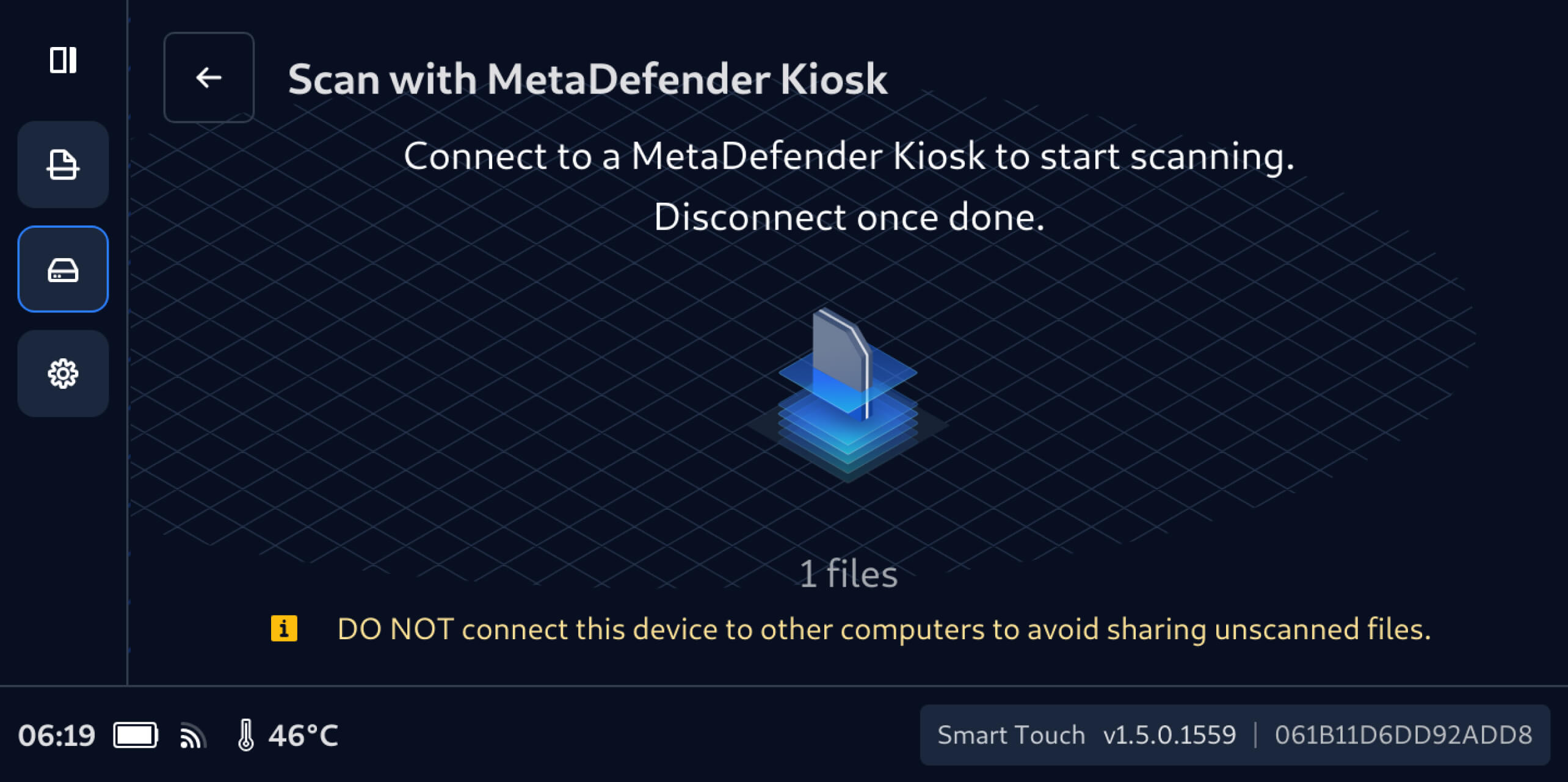
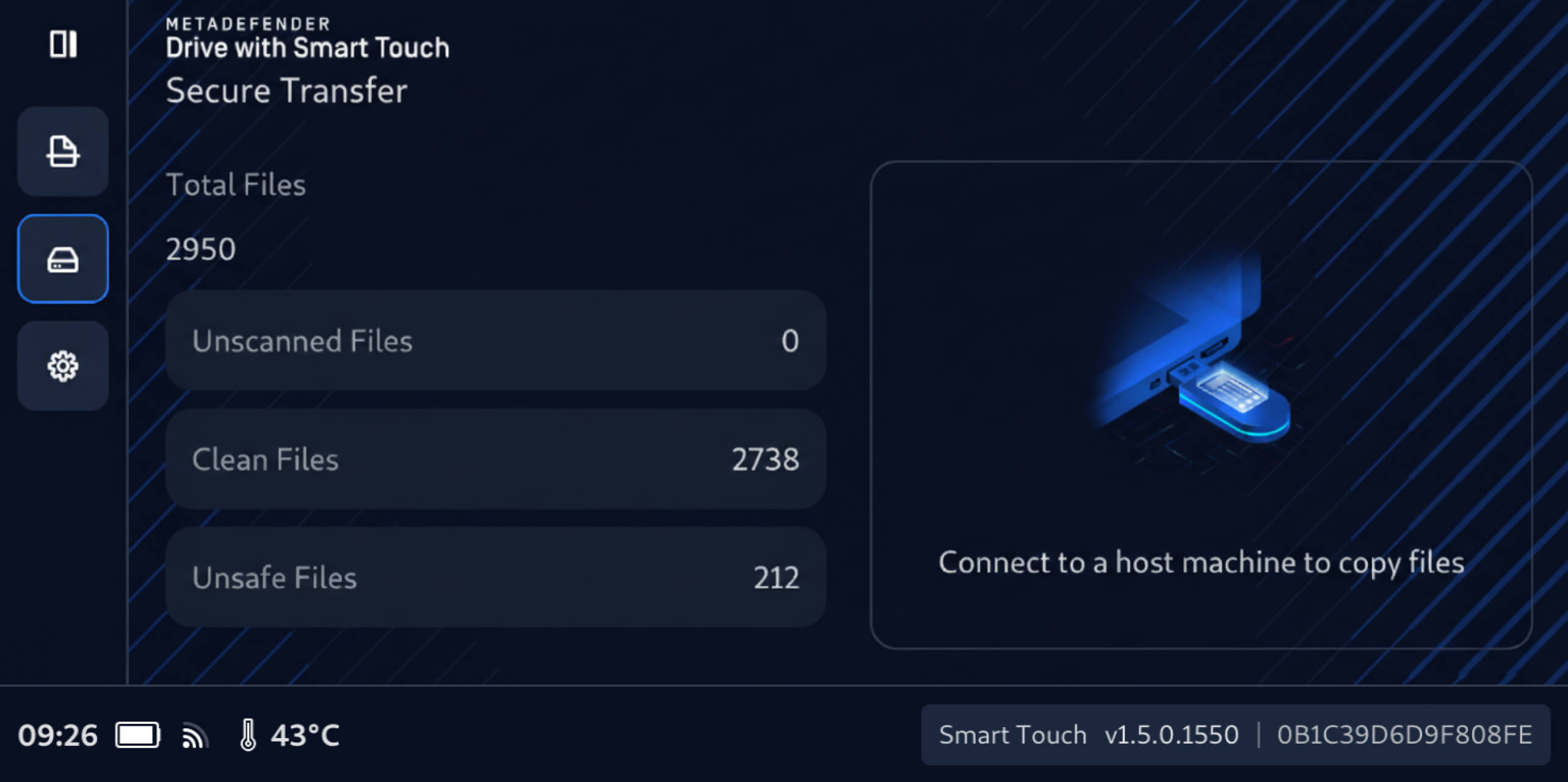
    3. After connecting to a MetaDefender Kiosk, the number of unscanned files, which was previously hidden, will be displayed on the MetaDefender Drive with Smart Touch screen, and those files will be ready to scan with the connected MetaDefender Kiosk.

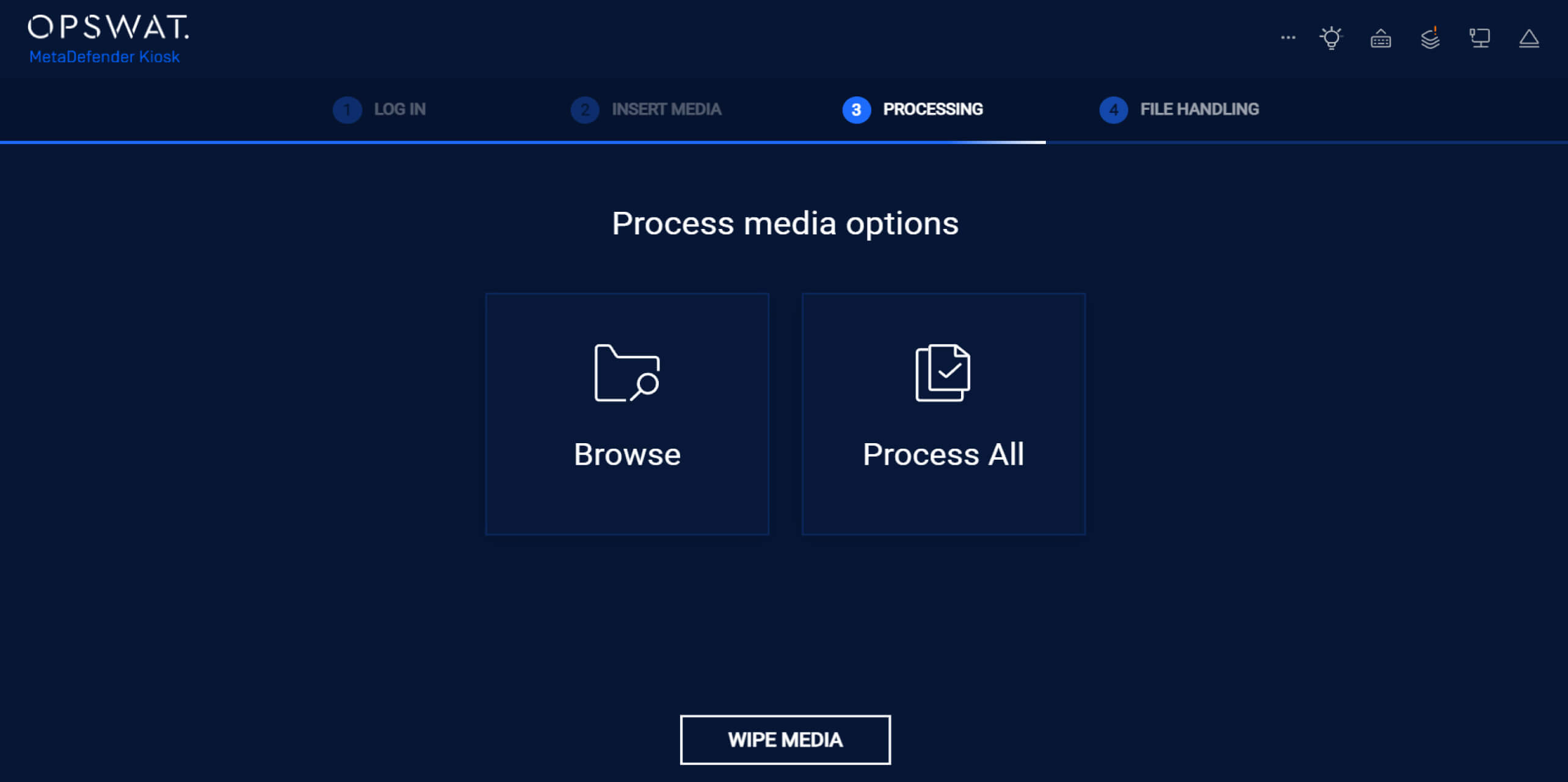
    4. On the MetaDefender Kiosk interface, tap Process All to verify all unscanned files within the MetaDefender Drive with Smart Touch Secure Storage.

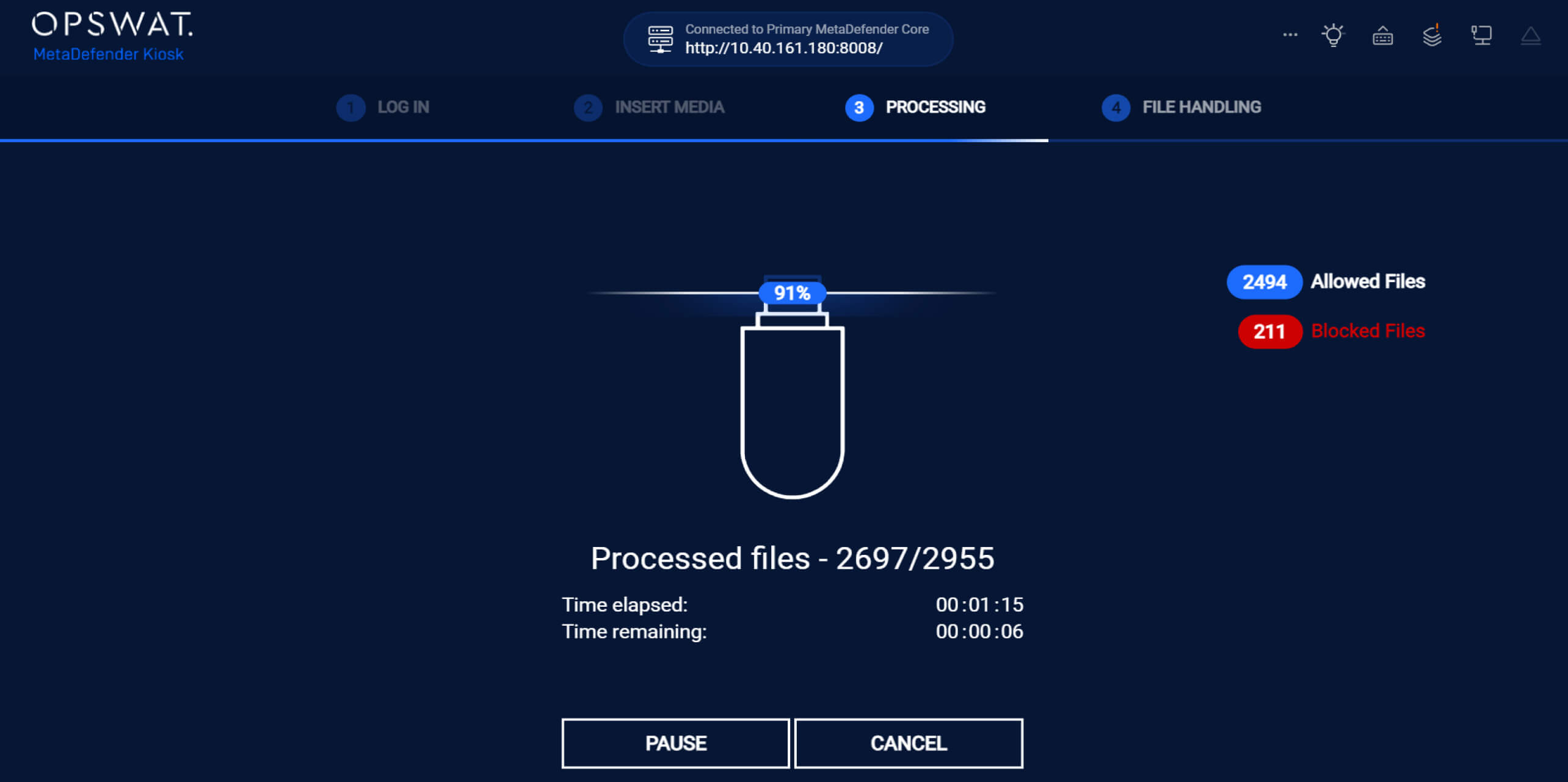
    5. During the scan, MetaDefender Kiosk displays real-time results, clearly showing the numbers of the allowed and blocked files.

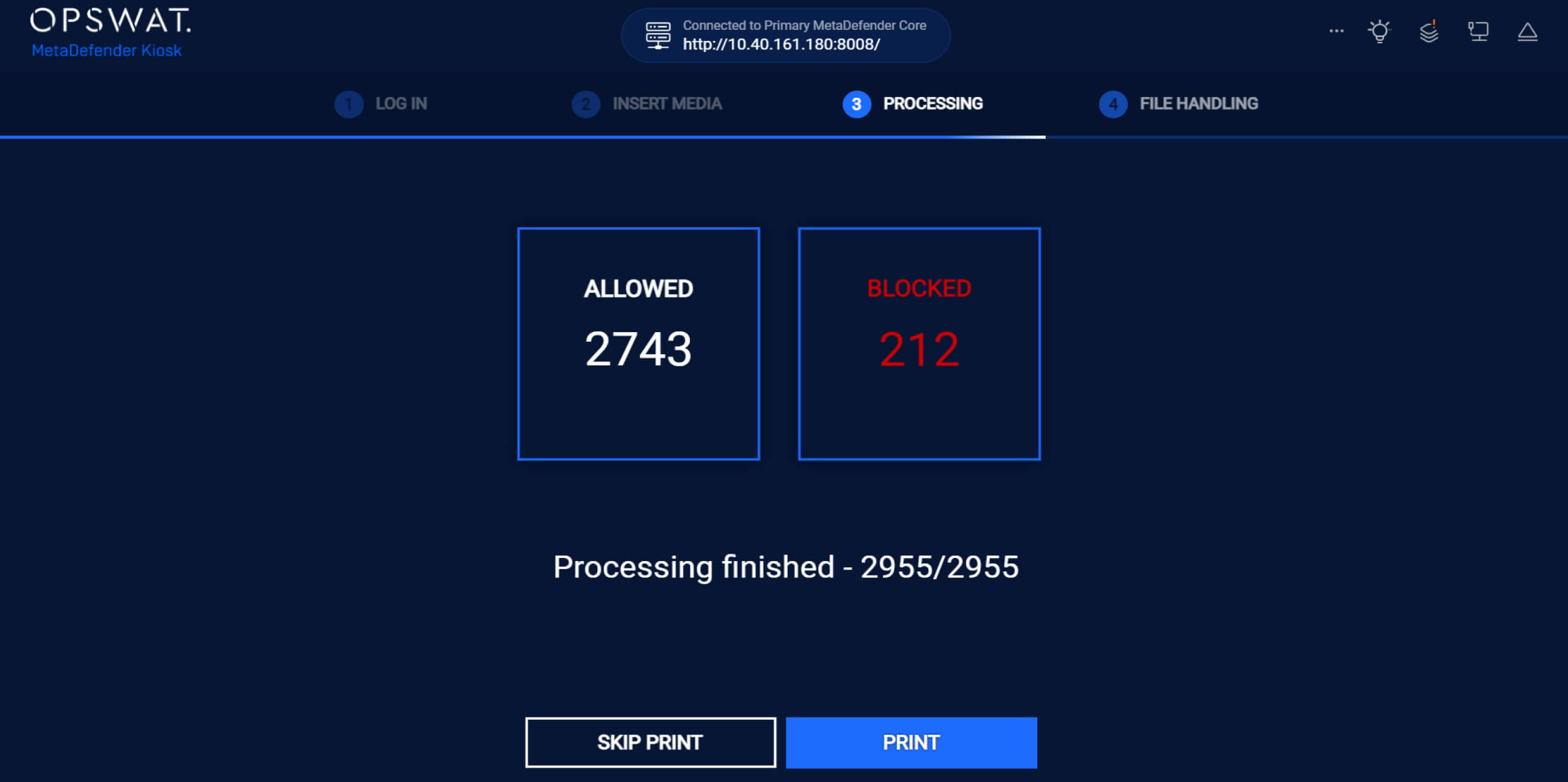
    6. After processing all files, MetaDefender Kiosk displays the number of allowed and blocked files.

    Once scanning is complete:

    • Verified clean files are explicitly marked as safe and available for sharing
    • Unsafe files remain blocked and cannot be accessed or distributed
    File counts are automatically updated for clear visibility into clean, unsafe, and unscanned files.

    MetaDefender Drive with Smart Touch Passcode Management

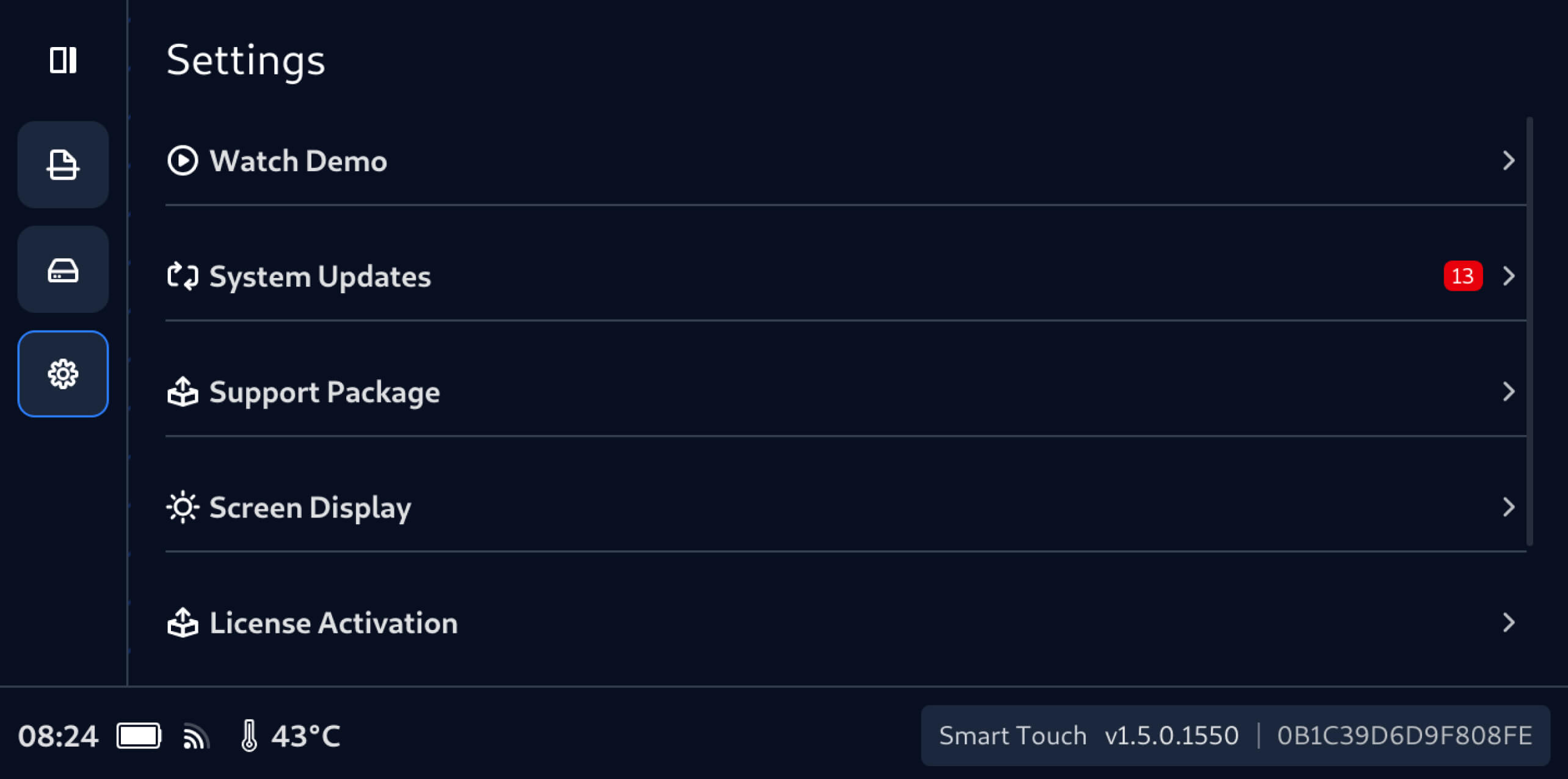
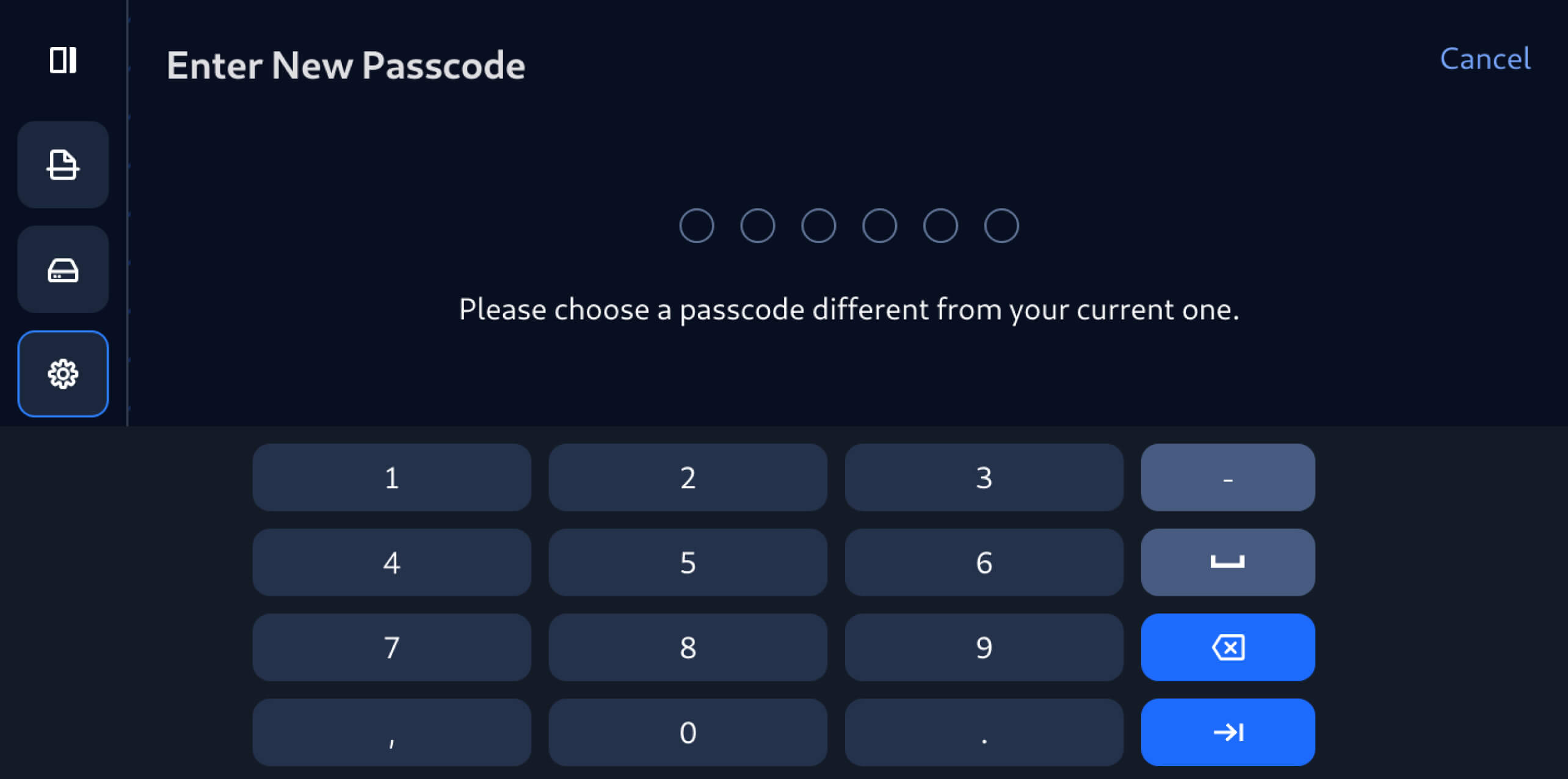
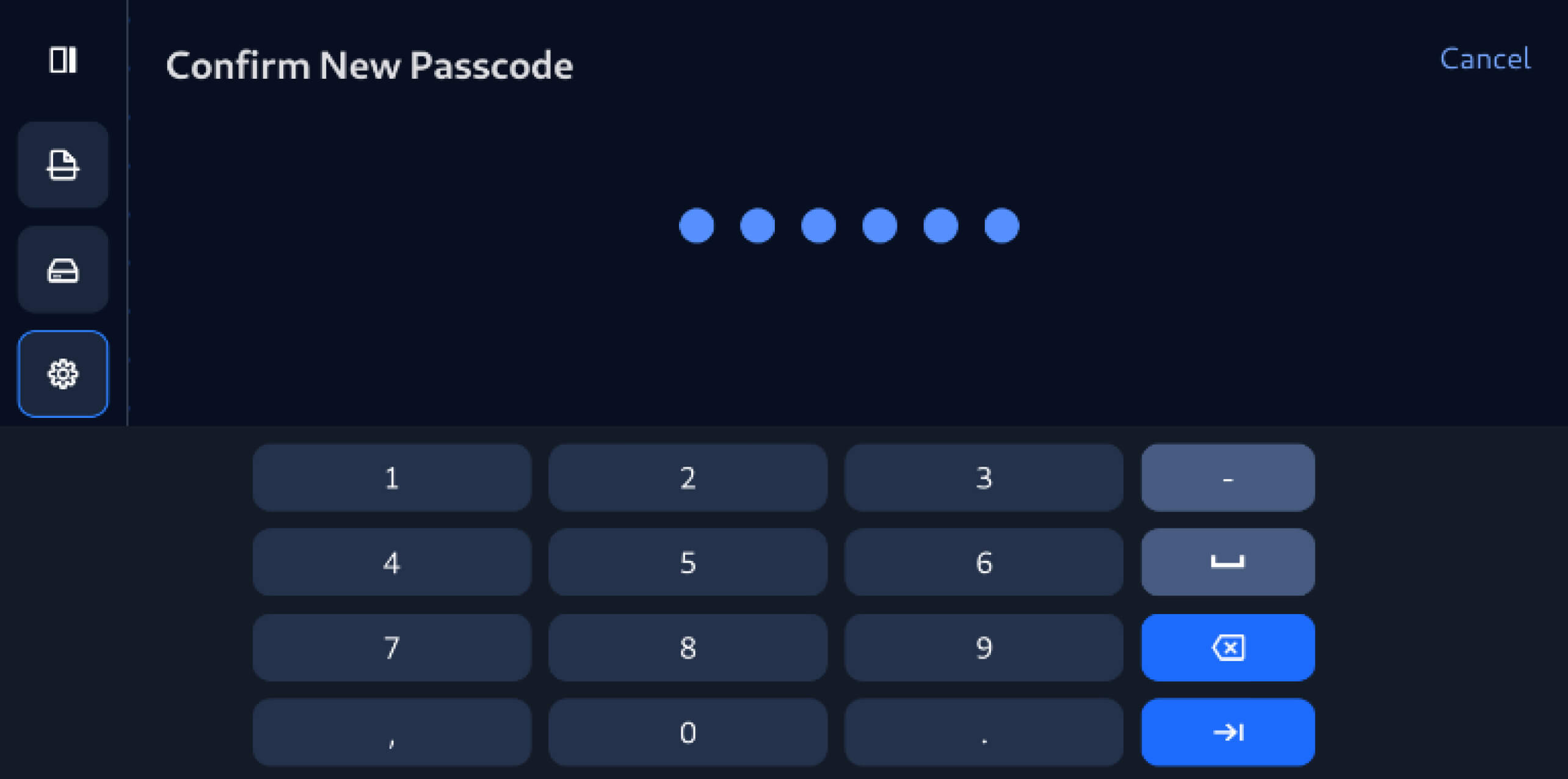
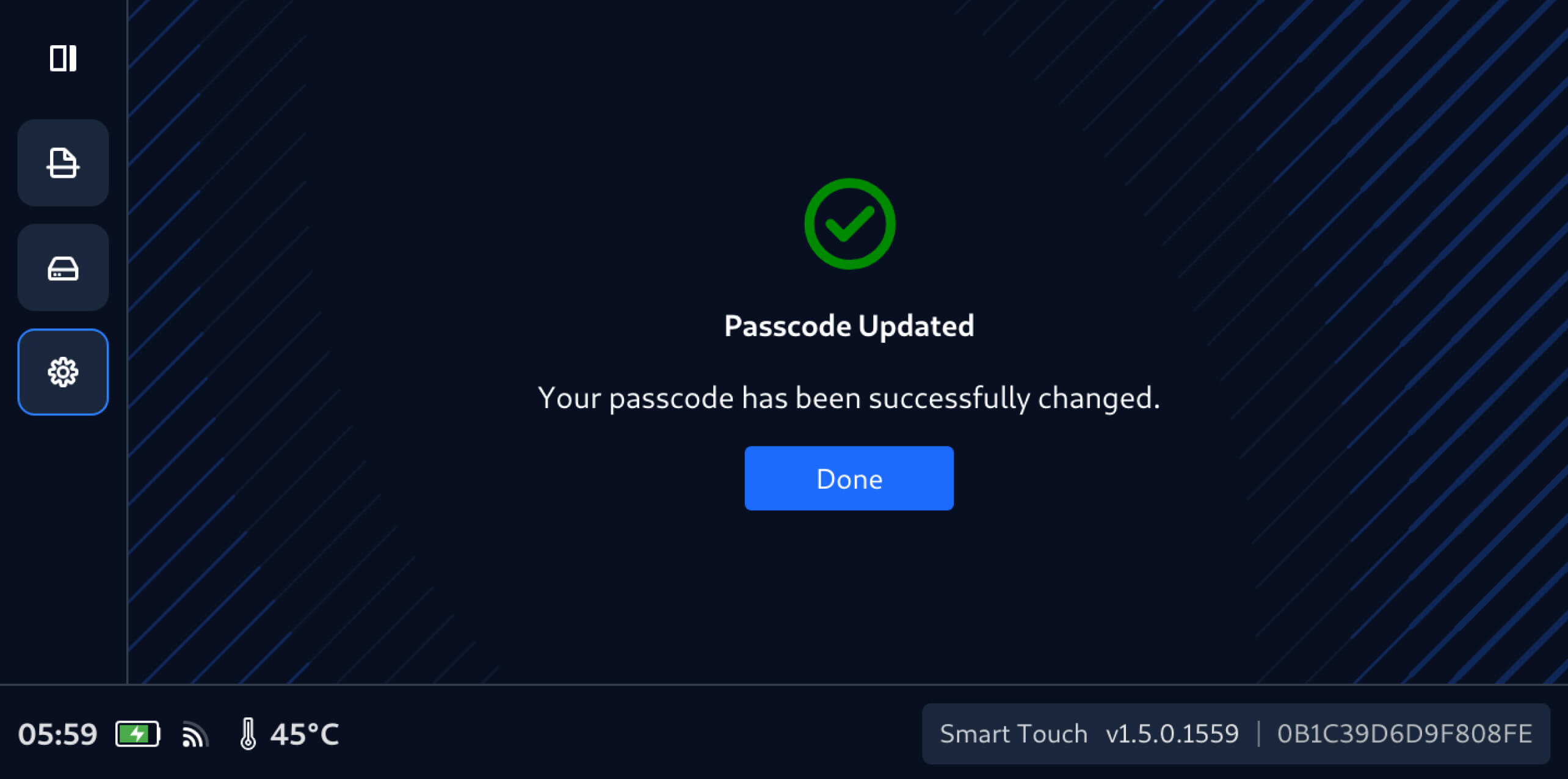
    This release of MetaDefender Drive with Smart Touch also introduces on-device passcode management, enabling users to update the Smart Touch passcode directly from the device in a few simple steps:

    From Settings, tap Change Passcode.
    Enter the new passcode, which must be different than the current one.
    Re-enter the new passcode to confirm the update.
    A notification screen will confirm that the new passcode has been updated successfully.

    發行細節: 

    • Product: MetaDefender Drive with Smart Touch
    • Release Date: January 19, 2026
    • 發佈說明: 在此瞭解更多資訊 


    To update MetaDefender Drive with Smart Touch, tap System Update on the home screen to access the centralized update view.

      隨時瞭解OPSWAT 的最新資訊!

      立即註冊,即可收到公司的最新消息、 故事、活動資訊等。