MetaDefender Drive with Smart Touch v2.2.0 introduces on-device MetaDefender Drive image recovery, enabling a faster, more direct way to restore MetaDefender Drive to a known working state and keep devices ready for operation.
Recover MetaDefender Drive Directly from Smart Touch
Administrators can now initiate image recovery directly from the MetaDefender Drive with Smart Touch interface using a previously saved MetaDefender Drive release stored on the device. This new feature simplifies the recovery process without requiring a separate workflow. During recovery, key configuration information, including licensing and enrollment, is preserved and automatically reapplied after the MetaDefender Drive image is restored.
To perform MetaDefender Drive recovery:
1. FromSettings, select Reset MetaDefender Drive Image to begin the process.
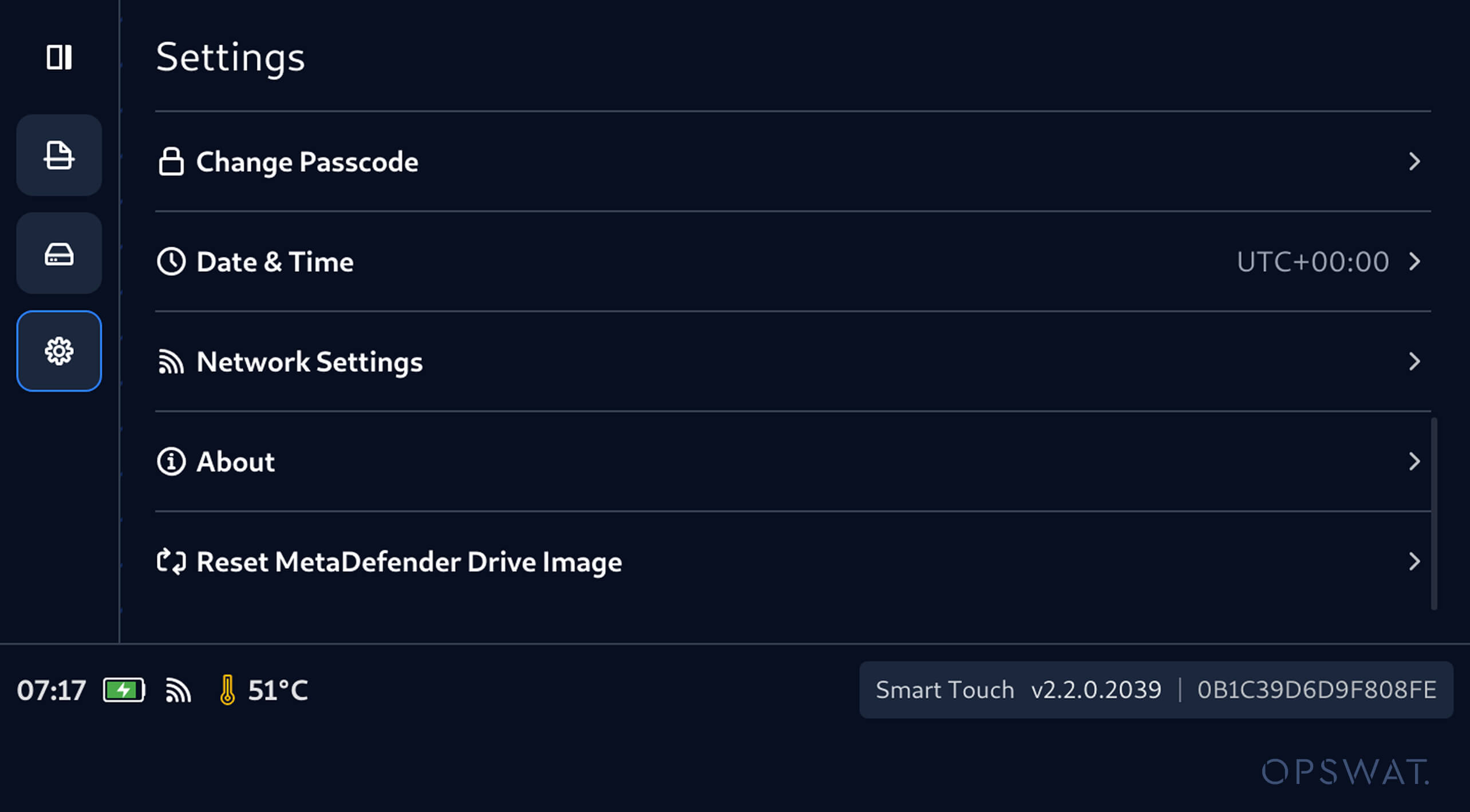
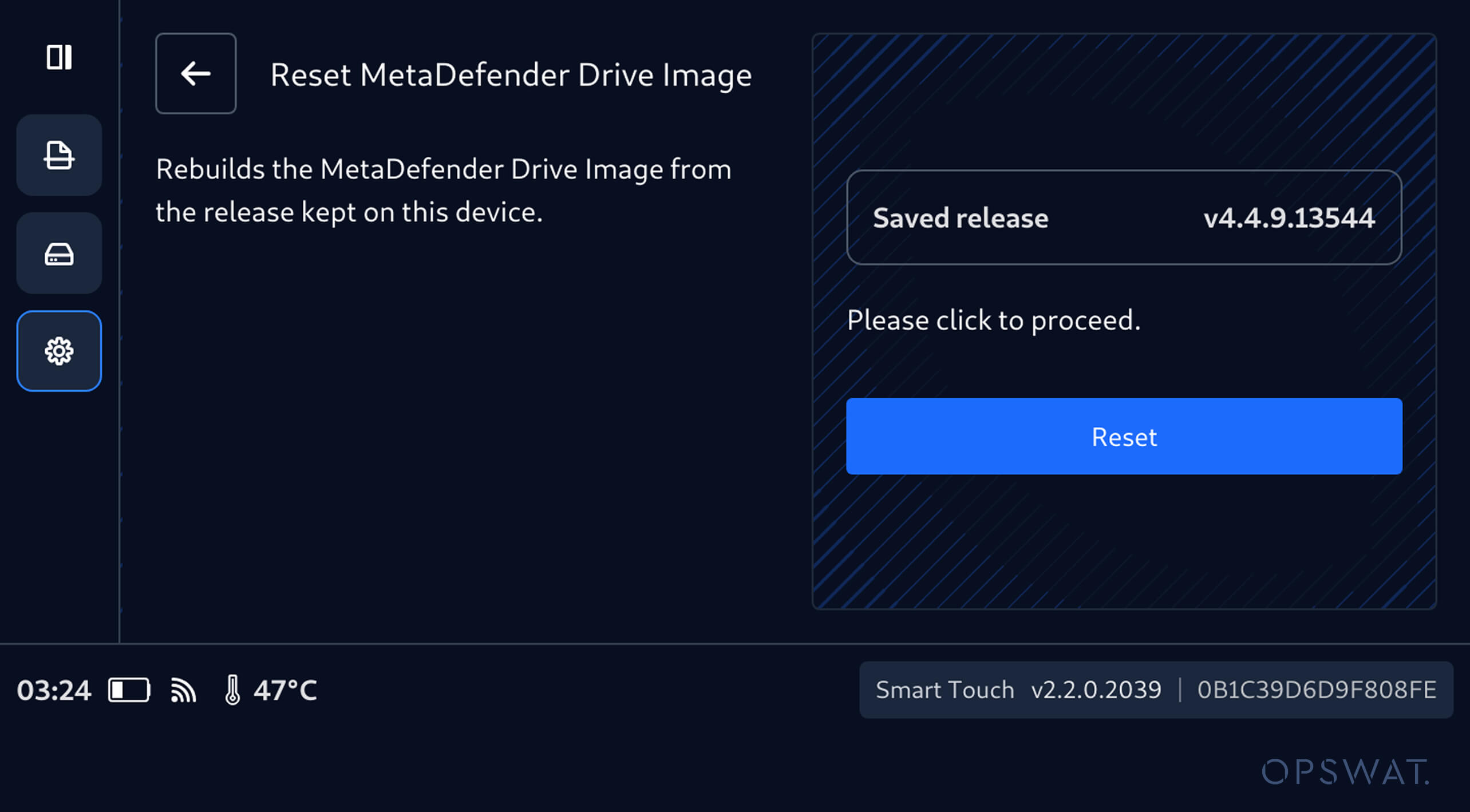
2. The interface displays the MetaDefender Drive release image saved on the device. Tap Reset to rebuild the MetaDefender Drive image using this saved release.
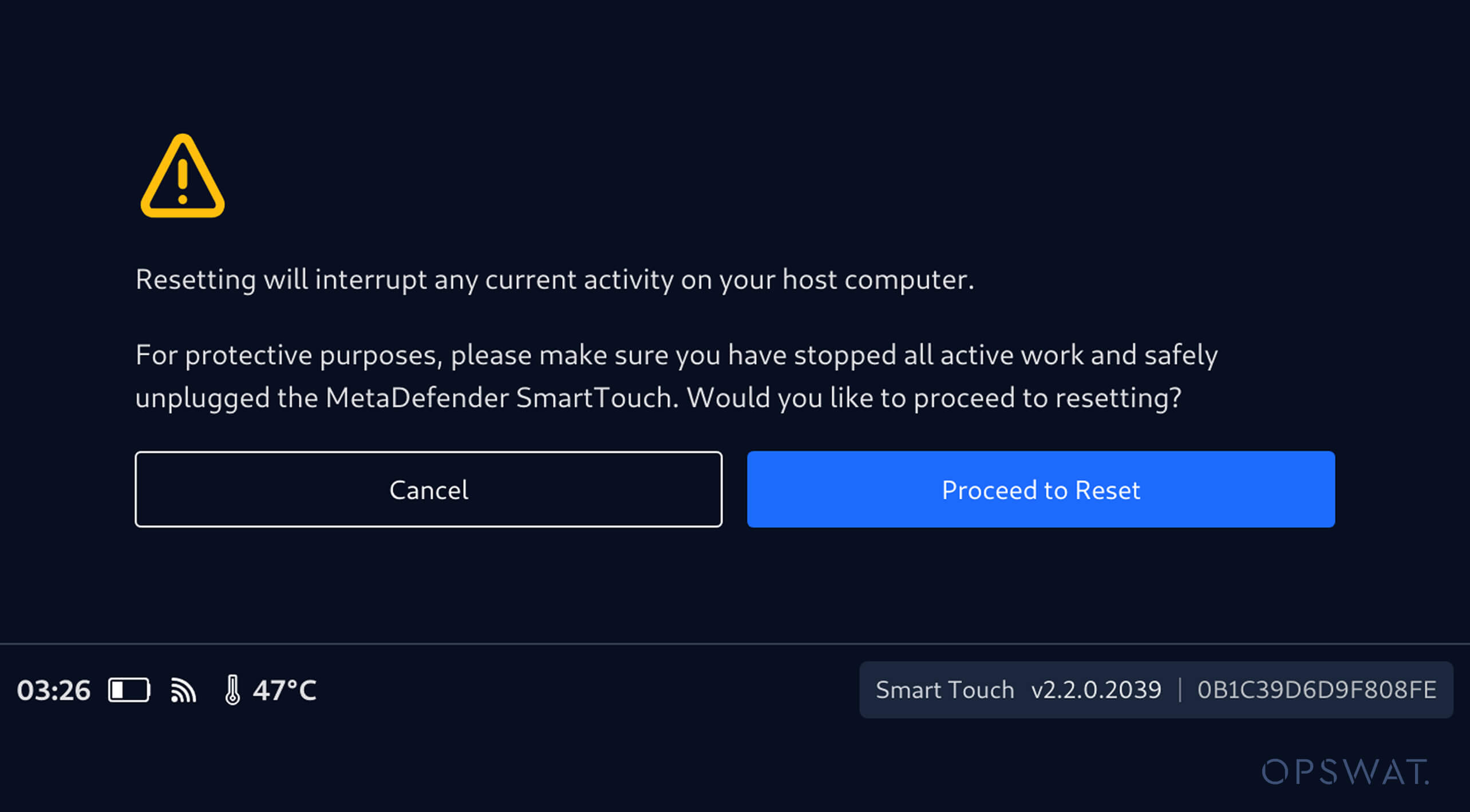
3. Before recovery begins, the Smart Touch interface prompts the user to confirm the operation and ensure that active work on the host computer has been stopped and the MetaDefender Drive with Smart Touch has been safely disconnected.
4. Once authorized, Smart Touch rebuilds the MetaDefender Drive image using the saved release stored on the device.
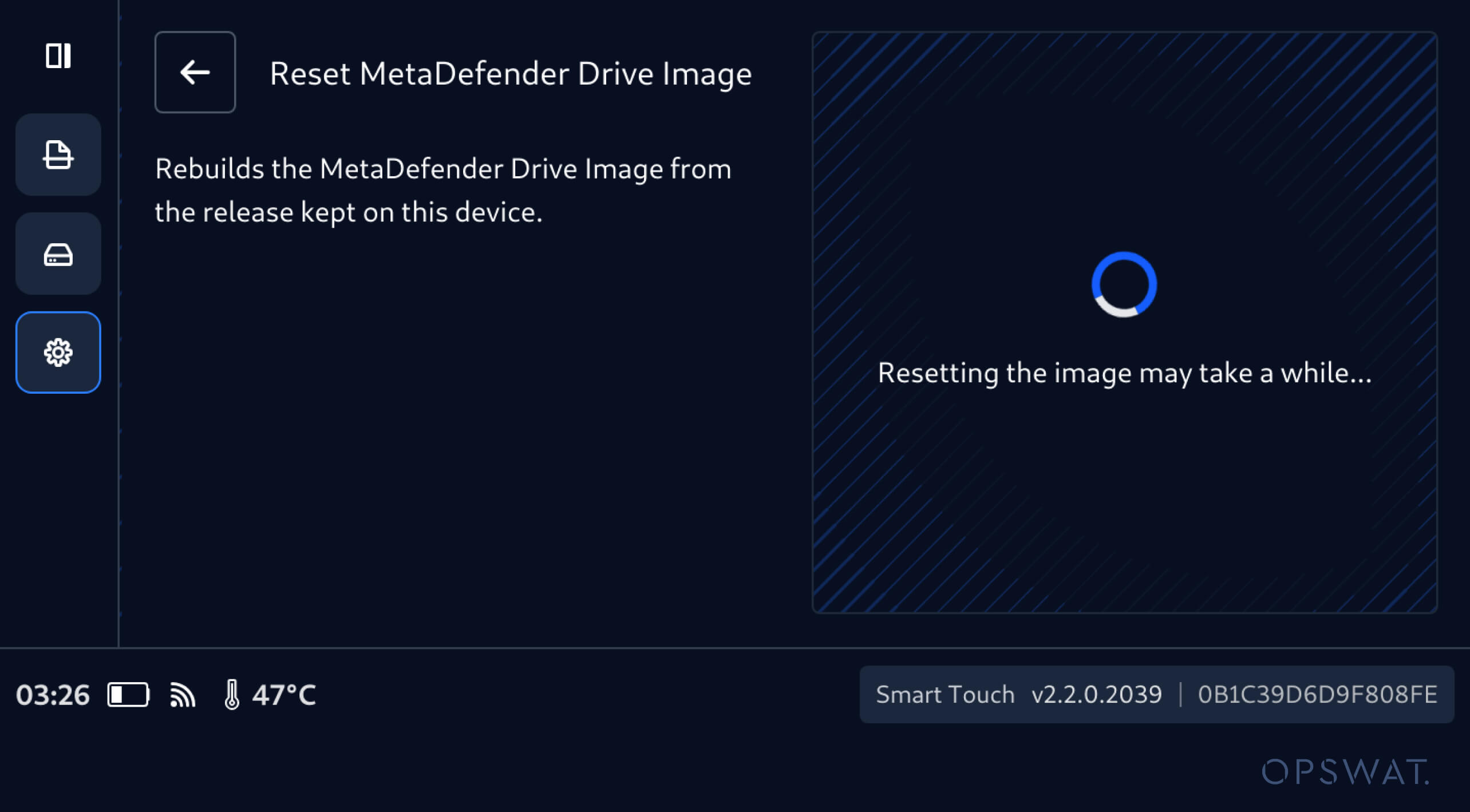
During recovery, Smart Touch preserves key MetaDefender Drive information, including:
- License information
- My OPSWAT Central Management enrollment
- Centralized Scanning Profile enrollment
5. After the recovery completion, Smart Touch confirms that the MetaDefender Drive image has been successfully reset.
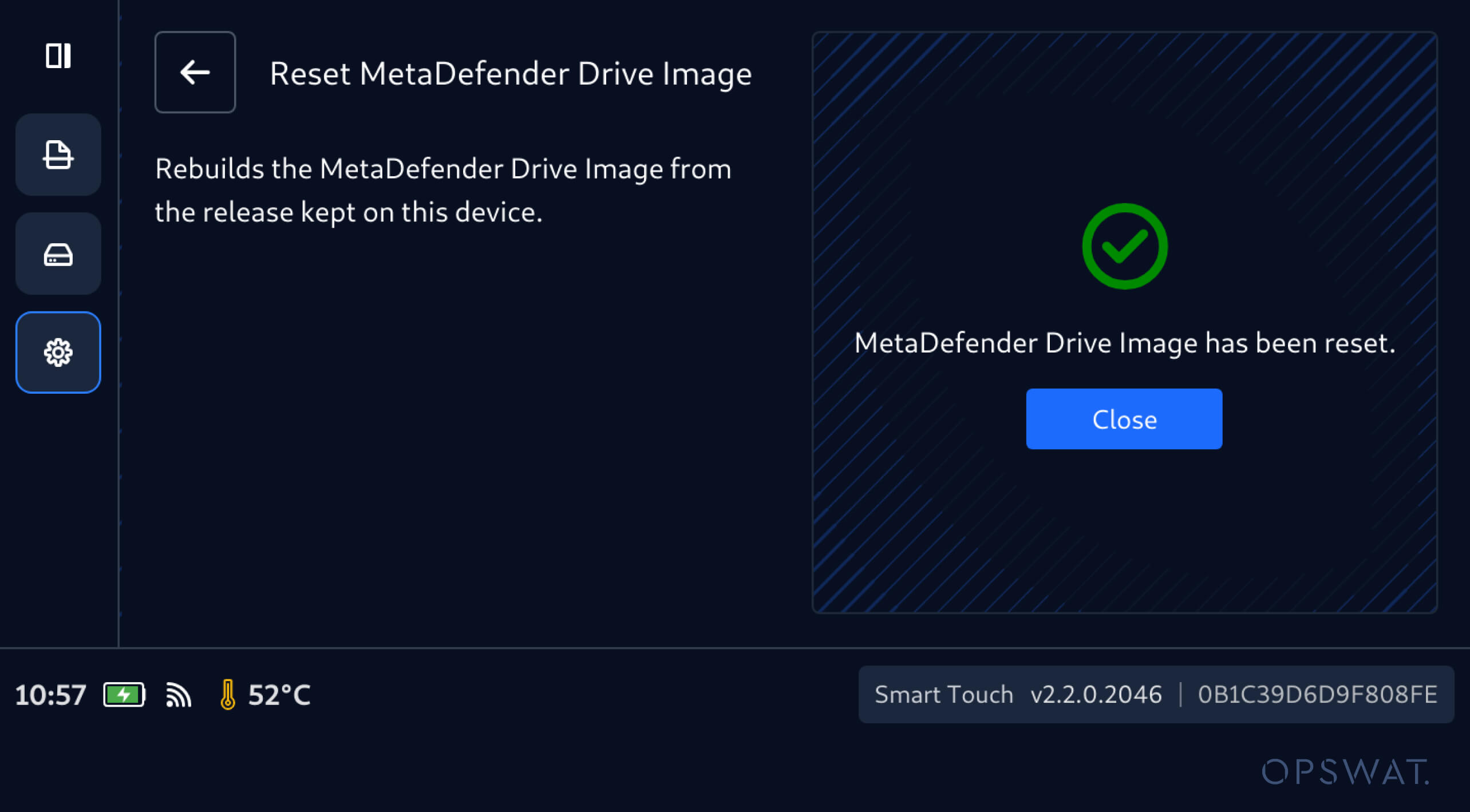
After the MetaDefender Drive image is restored, all the previous configurations are automatically reapplied, helping administrators return the device to operation without repeating key configuration and enrollment steps.
Centralized Scanning Profile Approval for MetaDefender Image Reset
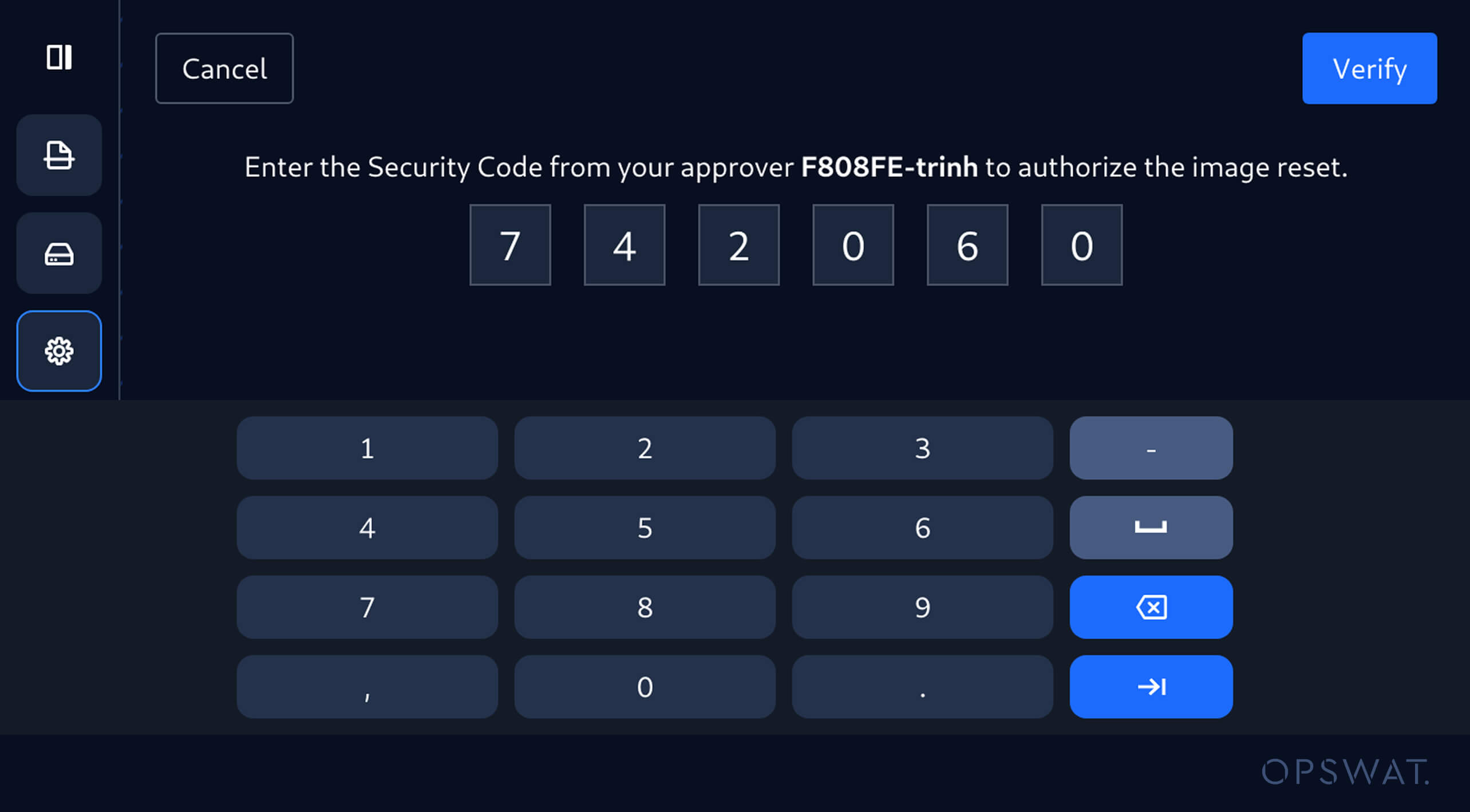
When Centralized Scanning Profile is enabled, resetting the MetaDefender Drive image on MetaDefender Drive with Smart Touch requires one-time password authorization from the designated approver.
The operator enters the security code provided by the designated approver before recovery can proceed, helping ensure that recovery actions remain controlled on devices governed by centralized scanning policies.
版本詳細資訊
產品: MetaDefender Drive Smart Touch
Release Date: September 8, 2026
發行說明: 在此了解更多
Drive Smart Touch 更新Drive ,請在主畫面點擊「系統更新」以進入集中式更新介面。