您絕對不能錯過的更新:Office 2016 與 Office 2019 支援終止

立即閱讀
我們利用人工智慧進行網站翻譯,雖然我們力求準確性,但它們可能並不總是 100% 精確。感謝您的理解。

MetaDefender Endpoint™ v7.6.2603 Release 

By OPSWAT 發布
分享此文章

This MetaDefender Endpoint release includes various features and enhancements across Windows (v7.6.2603), macOS (v10.4.2603), and Linux (v15.6.2603) platforms. The new additions are designed to enhance endpoint security and compliance, optimize performance, and make it easier for MetaDefender Endpoint users to stay protected against peripheral and removable media threats.

MetaDefender Endpoint的新功能 

Introducing MetaDefender Endpoint Plus with Embedded Anti-Malware Scanning 

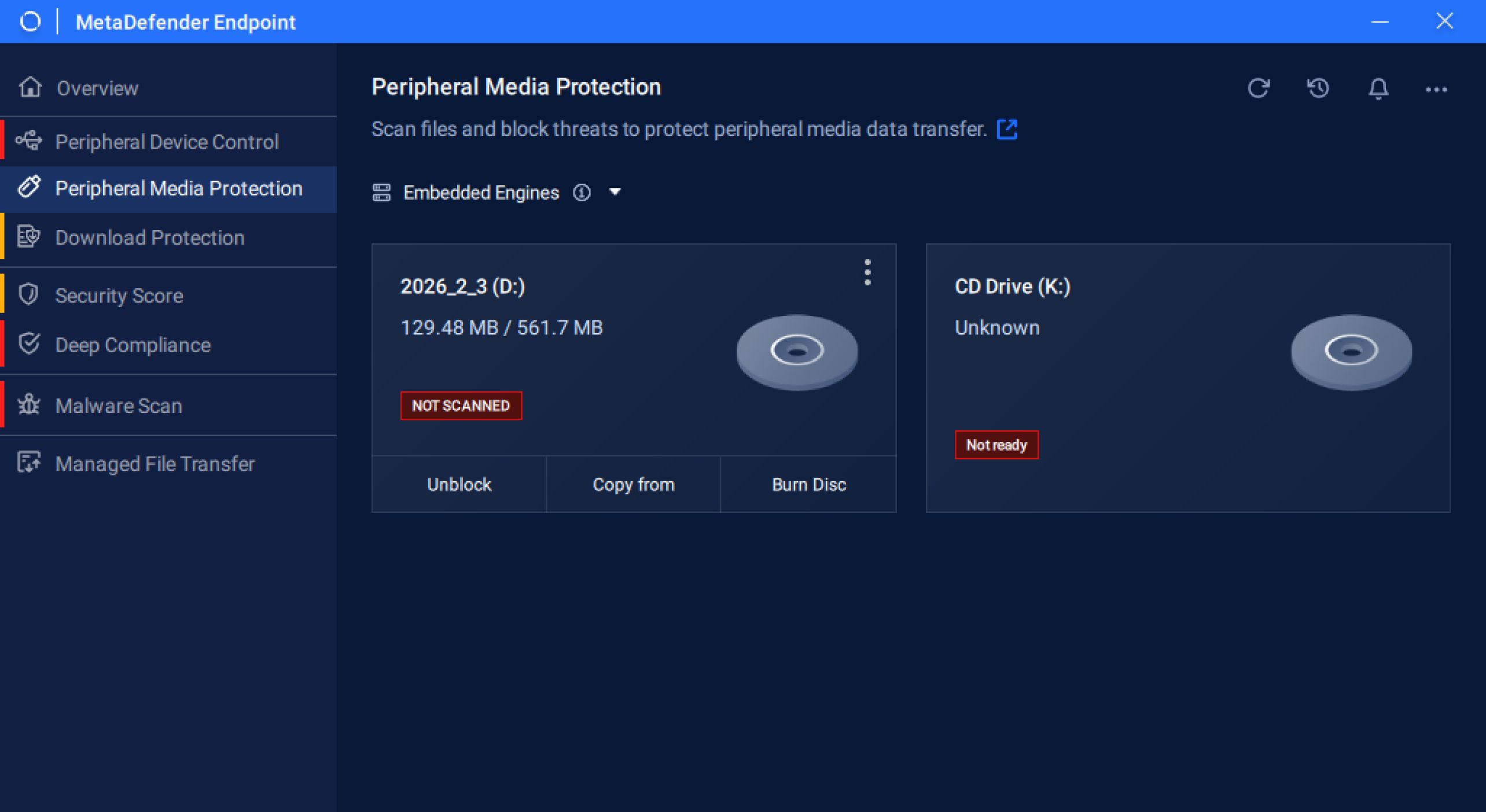
We’re excited to launch MetaDefender Endpoint Plus with embedded anti-malware engines, bringing continuous, uninterrupted protection across our key features: Peripheral Media Protection, Download Protection, and Malware Scan.

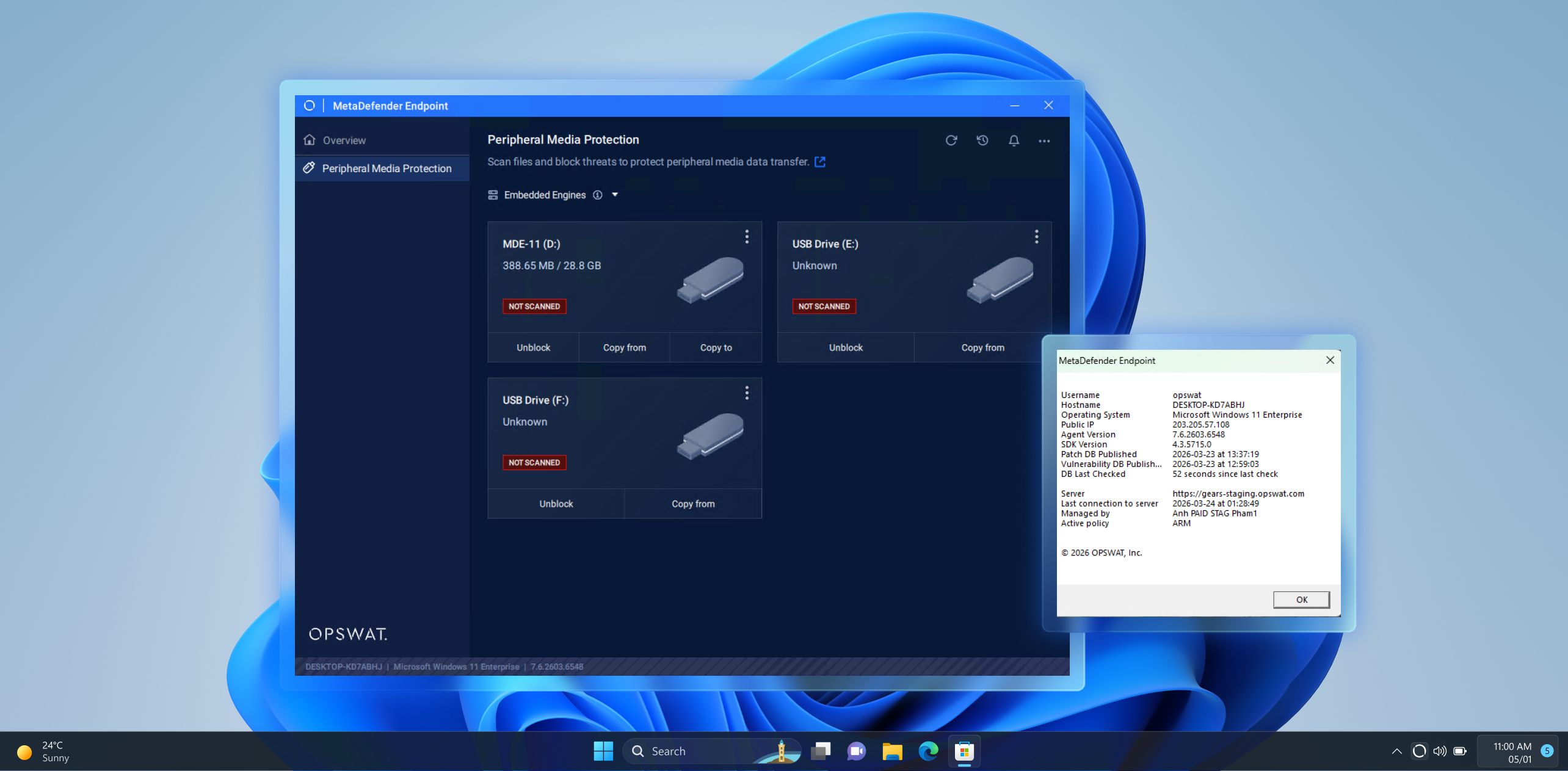
Expanded Peripheral Media Protection for Windows ARM64 Devices 

MetaDefender Endpoint now extends its Peripheral Media Protection capability to Windows ARM64 devices, bringing the same robust security controls to a broader range of modern endpoints. This extended support enables consistent protection against unauthorized or risky removable media, helping organizations secure every device without gaps.

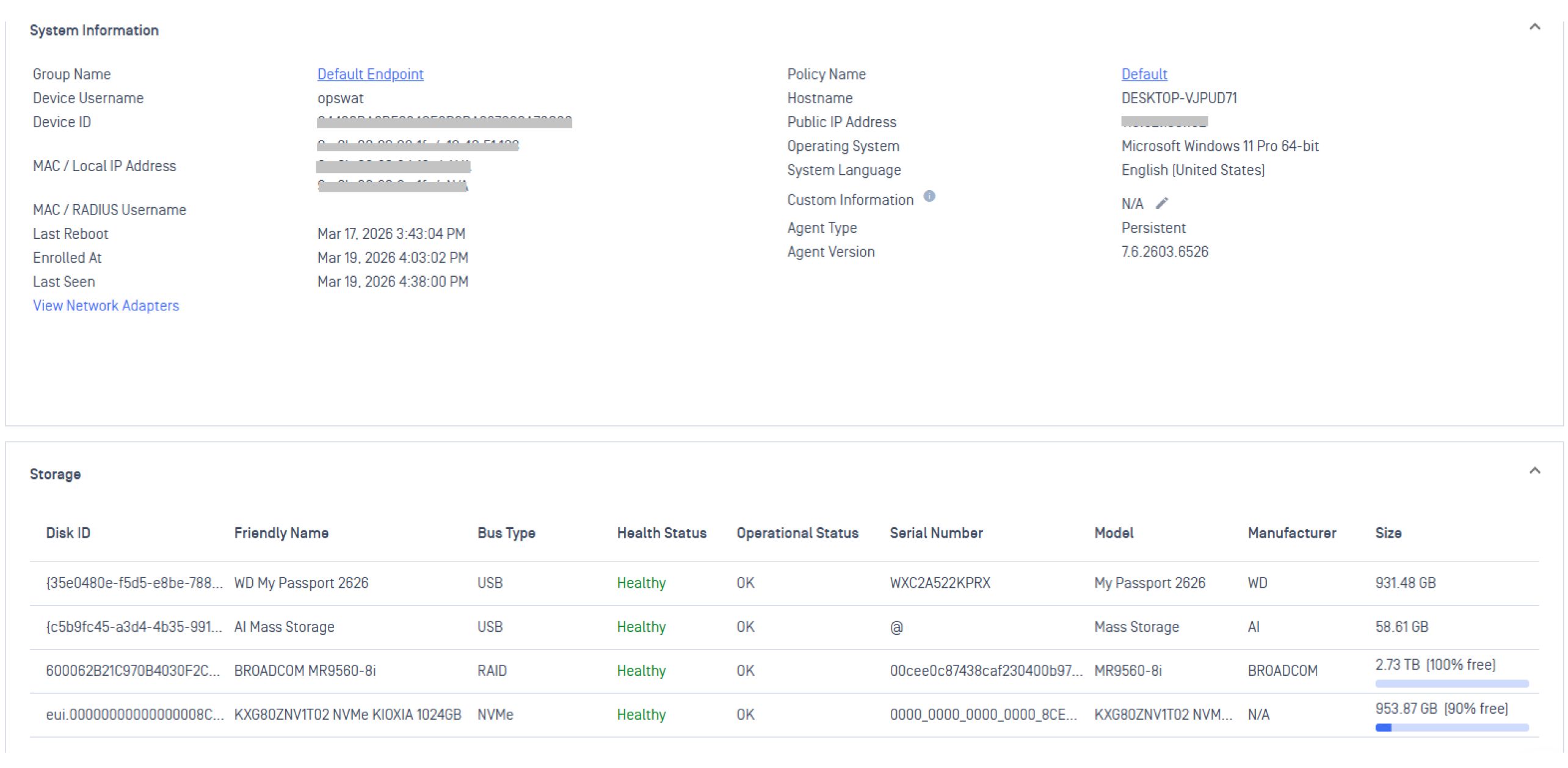
Greater Device Control and Enhanced Visibility with Hardware Health Insights

This release enables greater device control through enhanced endpoint hardware health reporting, including temperature, RAID status, and drive failure insights. These capabilities help administrators and IT teams proactively detect issues, reduce downtime, and maintain optimal device performance across environments.

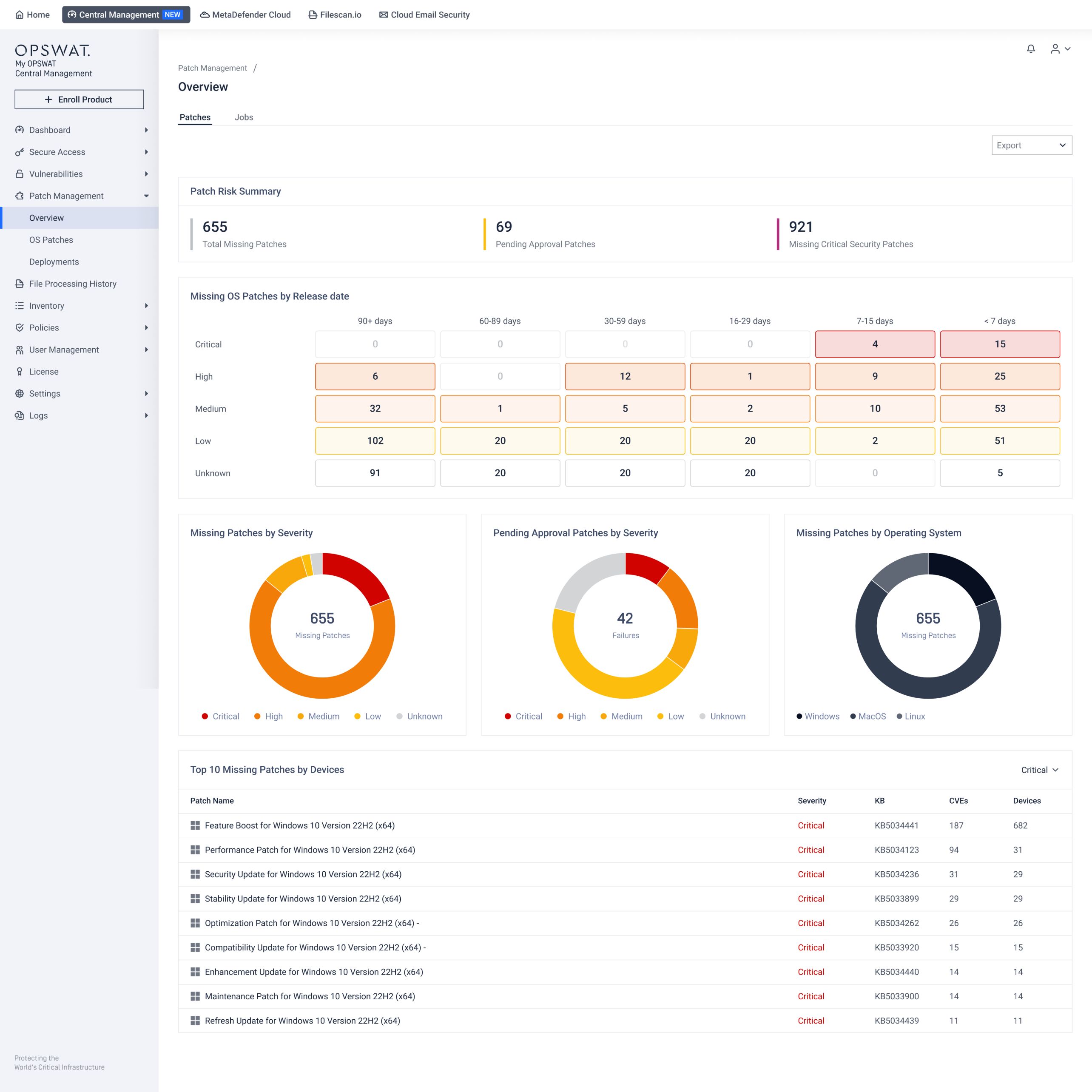
New Patch Management Admin View

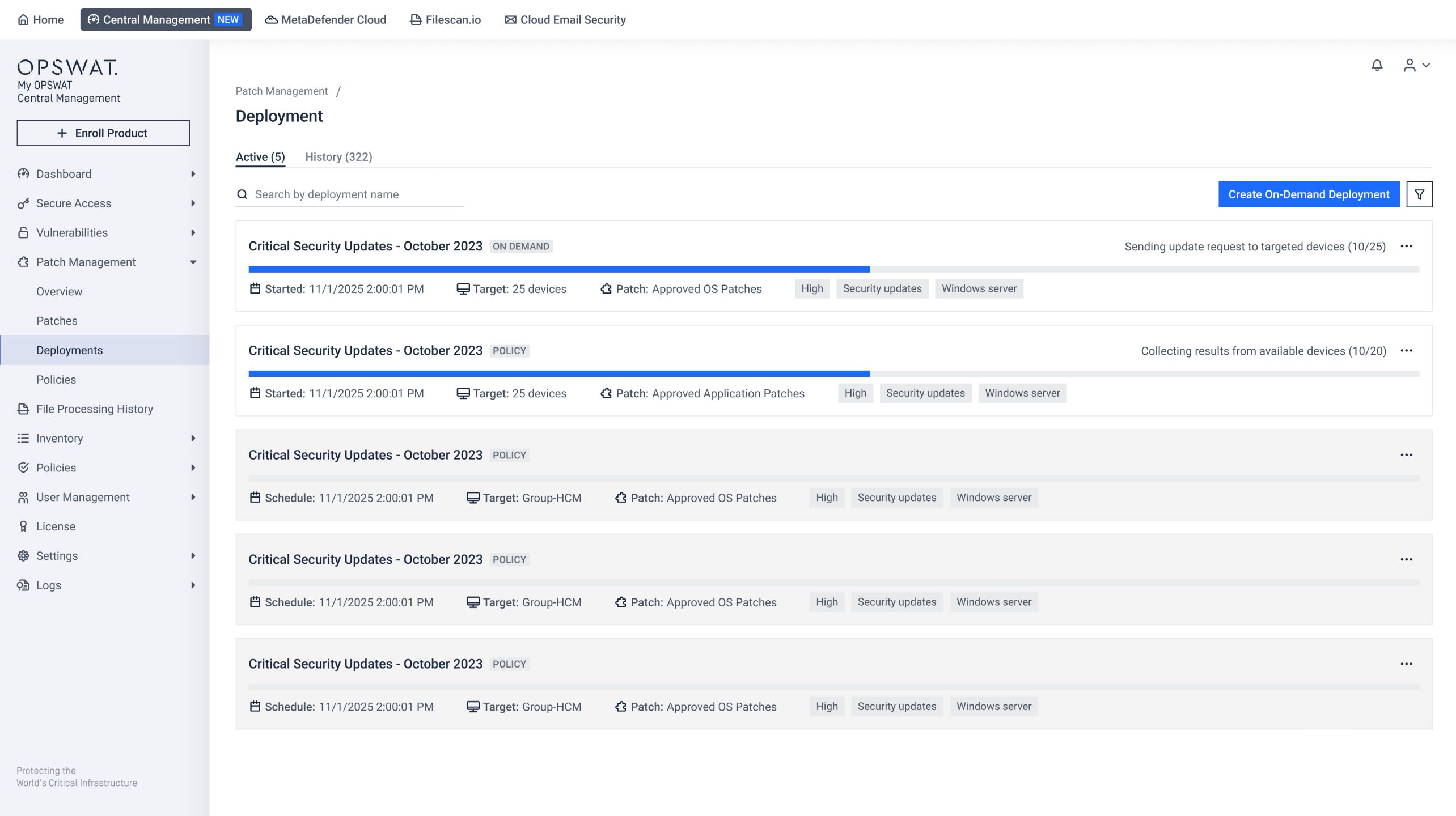
The new Patch Management admin view introduces an interactive dashboard and a streamlined way to manage devices, missing patches, and deployments. This improved visibility and auditability enable organizations to track patch status, manage deployments, enforce compliance, and stay ahead of vulnerabilities more efficiently. Administrators can now easily switch to the new Patch Management view through My OPSWAT™ Central Management to explore the updated configuration and deployment workflow.

Intuitive patch dashboard in My OPSWAT Central Management 
A new streamlined way to manage deployments

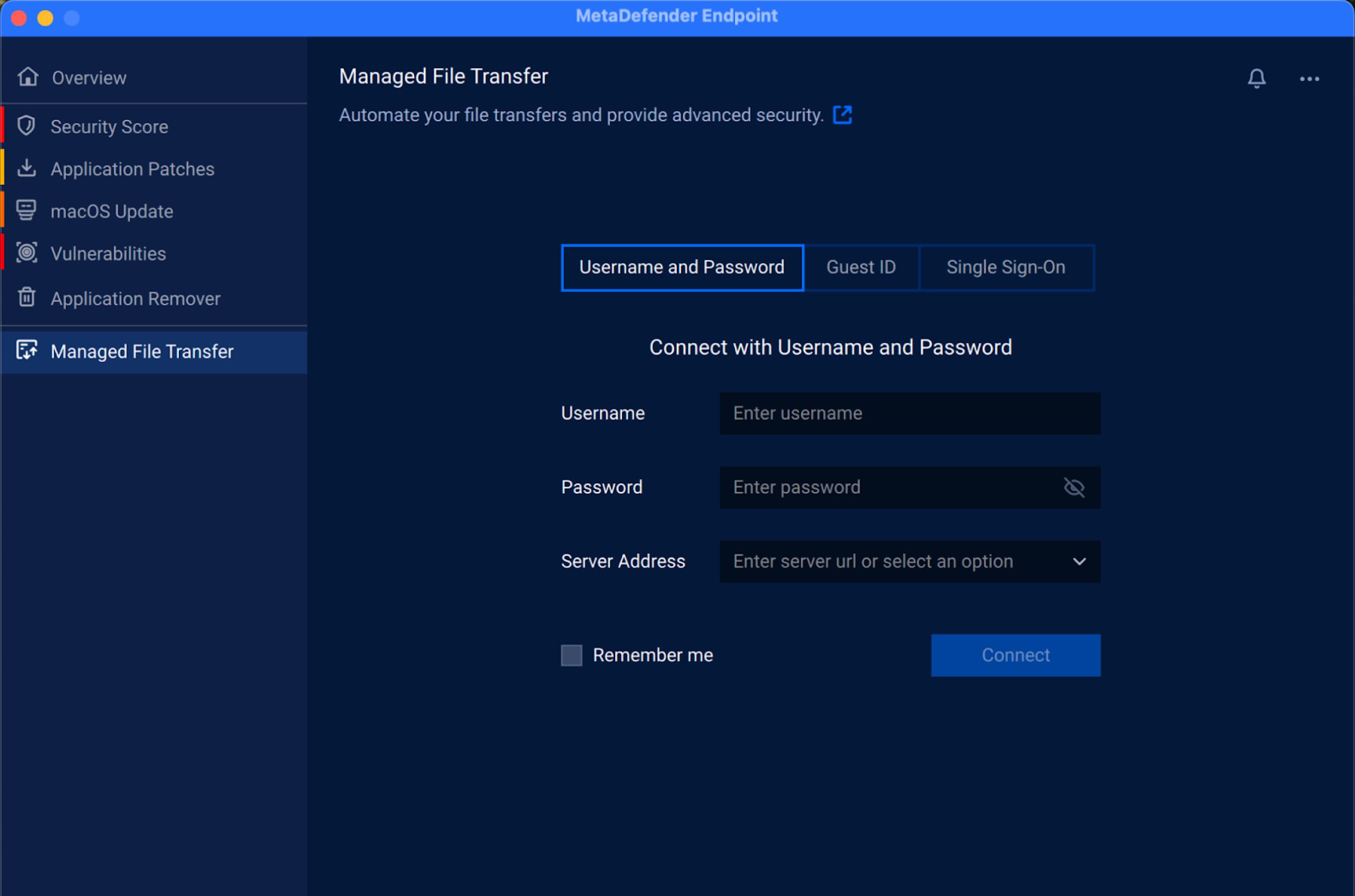
Managed File Transfer Feature Now Available on macOS

The Managed File Transfer feature is now supported on macOS devices, enabling secure, controlled file movement across endpoints. This enhancement helps organizations enforce consistent data transfer policies, reduce the risk of unauthorized file sharing, and maintain greater visibility and control over their macOS devices.

Expanded Multilingual Support

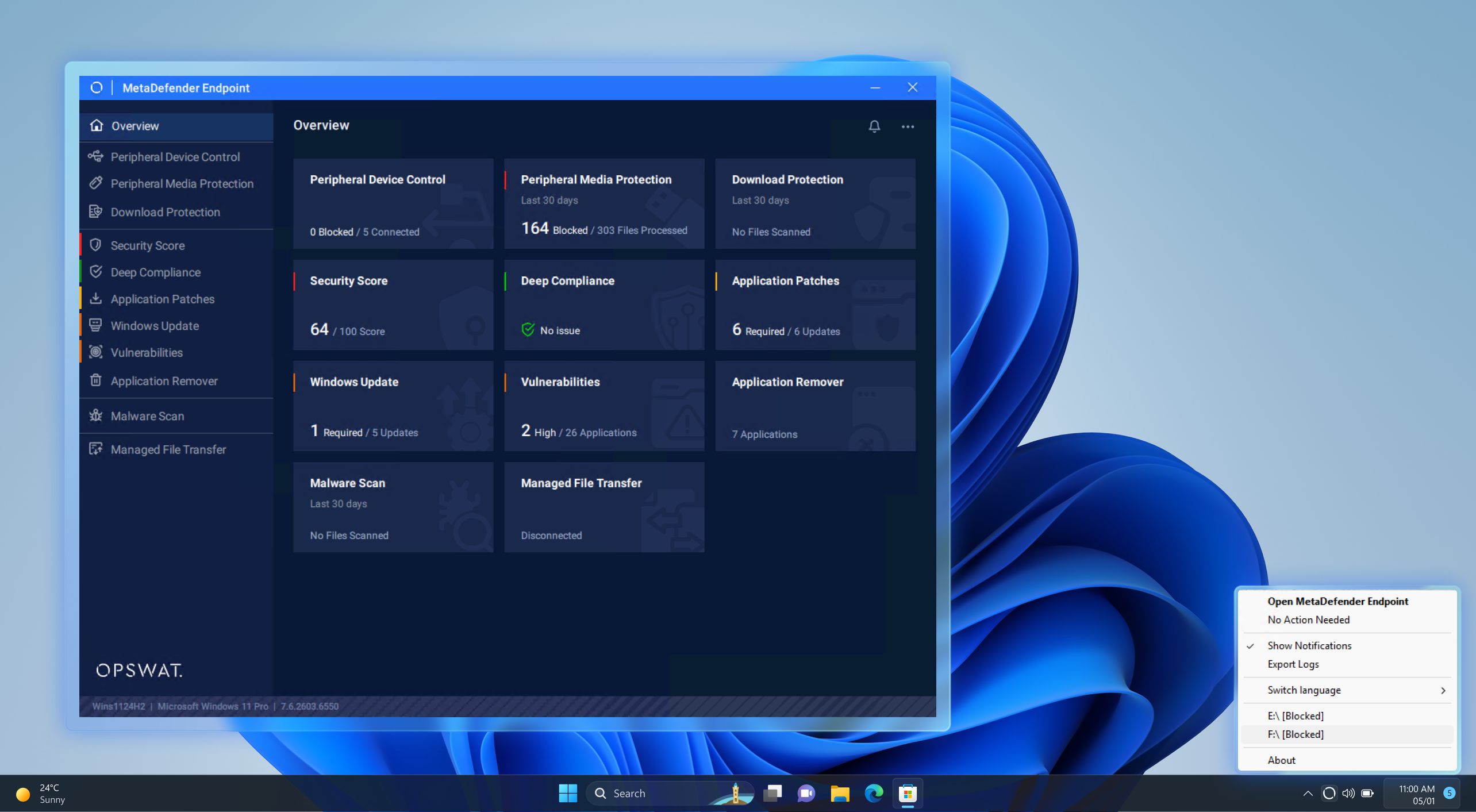
This release introduces effortless language switching, enabling users to quickly select English, Spanish, Arabic, Japanese, or Hebrew. This is accessible from the tray icon for Peripheral Media Protection and Peripheral Device Control features, making the experience more intuitive and accessible for global teams.

Preventing Accidental Critical Files Removal

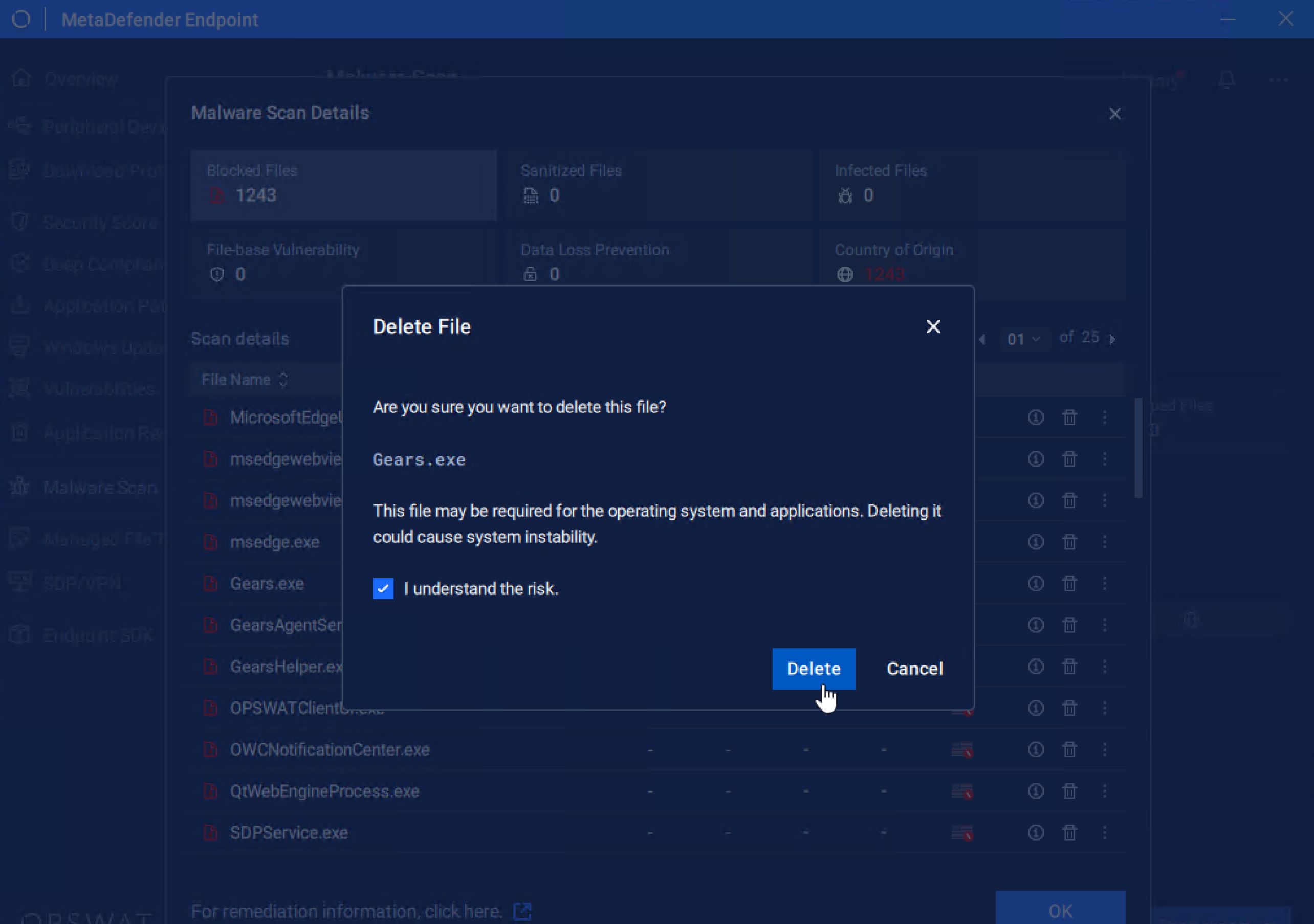
We have added a new warning pop-up to help prevent users from unintentionally removing critical files. This extra check enables organizations to reduce data loss risks, avoid operational disruptions, and maintain greater control over sensitive assets.

Improved Update Mechanism

We’ve improved the update mechanism to timely retrieve the latest vulnerability and patch databases when available regardless of local system time, enabling more reliable, consistent protection and up-to-date defenses across all environments.

Optimized Workflows for Seamless Application Control

In this release, applications can be disabled 3x faster, using Application Control, for quicker response to threats and minimizing exposure time across endpoints.

We’ve also improved classification accuracy for applications by optimizing categorization workflows within the Application Control feature, ensuring applications are identified more precisely and policies are enforced with greater confidence.

Enhanced Flexibility in Malware Scan

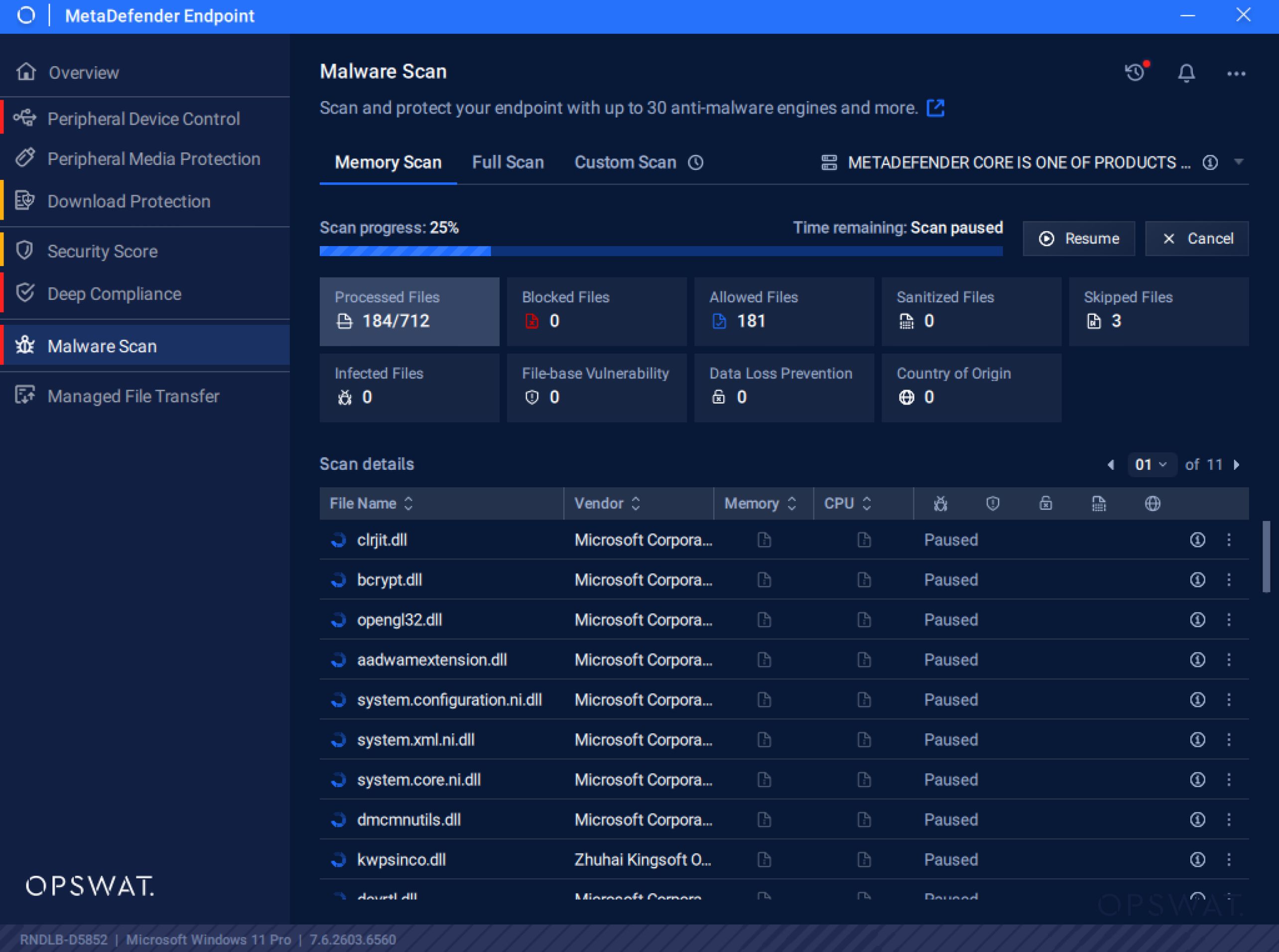
We’ve added the ability to pause and resume malware scans, giving users control over how and when scans run. This enhancement optimizes scanning bandwidth and enables more flexible task prioritization, enabling continuous protection without disrupting critical workflows.

Improved Experience for Linux Environments

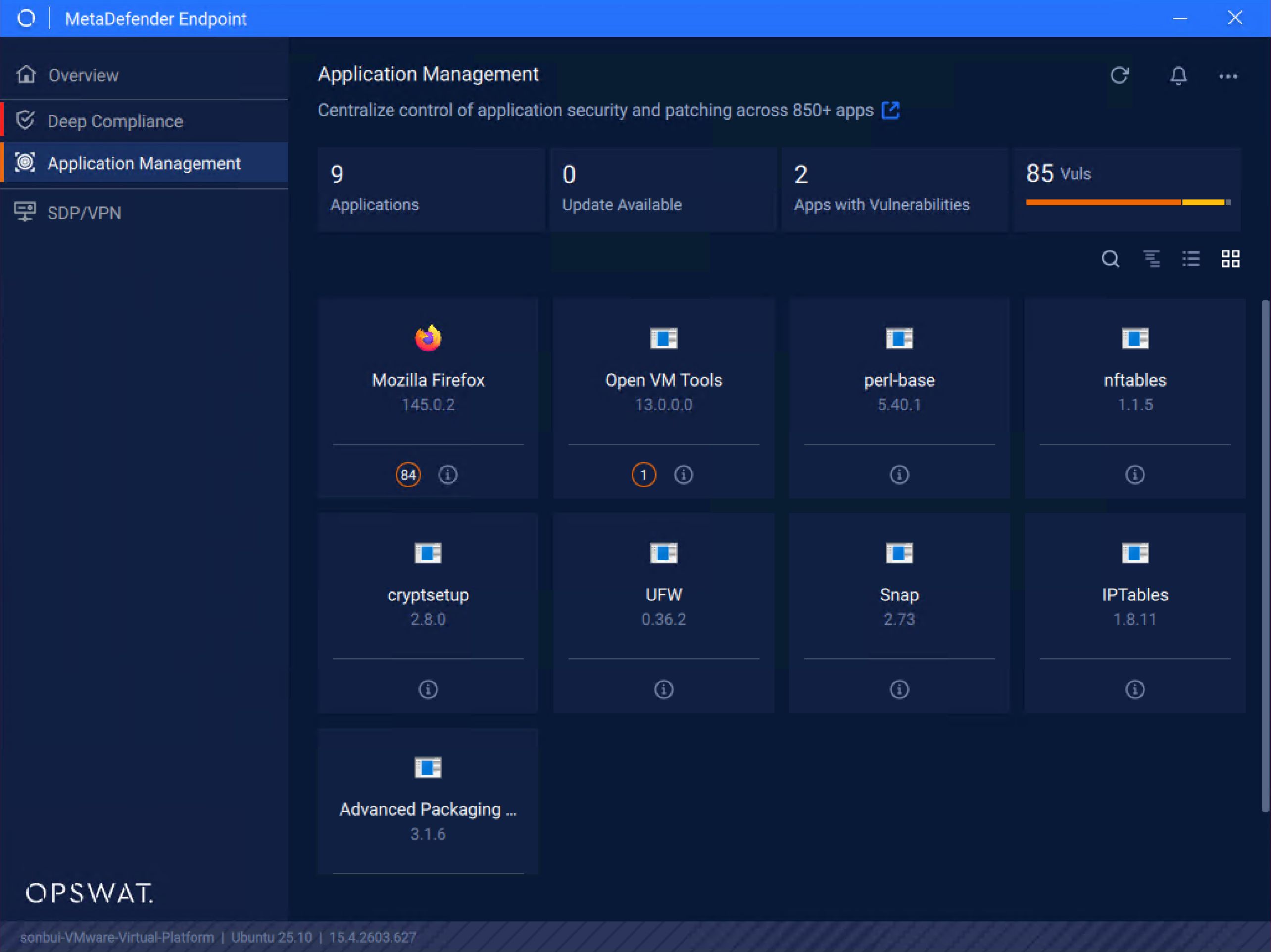
With the new release, user login detection has been improved on devices running the latest Ubuntu 25, ensuring the user interface runs smoothly and reliably. In addition, MetaDefender Endpoint now supports Linux Wayland-only environments, expanding compatibility with modern Linux systems and delivering a more consistent, seamless user experience.

MetaDefender Endpoint Validation Latest Updates 

Support for Allowlisting TMPS3 USB Devices

The new release of MetaDefender Endpoint Validation includes support for allowlisting TMPS3 USB devices, exempting them from the blocking period and enabling auto-run processes to access the drives during initialization for seamless device operation. This enhancement helps reduce delays for trusted devices while maintaining security controls.

Enhanced Admin Password Security with Two-Step Encryption

Administrative credentials are now more secure, with two-step encryption using DPAPI and AES. This upgrade ensures that configuration changes are safeguarded with a significantly higher level of security and prevent unauthorized decryption.

Next-Level Endpoint Management Solution

了解為什麼全球的組織、機構和實體都信任MetaDefender Endpoint 來保護關鍵端點。立即與專家聯絡,瞭解更多資訊。

隨時瞭解OPSWAT 的最新資訊!

立即註冊,即可收到公司的最新消息、 故事、活動資訊等。